Smart Home

6 Best Smart Locks 2026: Tested Picks for Your Front Door

We tested six smart deadbolts for the front door, from a keypad-only budget lock to a full matching lever set, and explain the upkeep each one needs.

A smart lock makes a convincing promise: no more fumbling for keys with an armload of groceries, no more spare key hidden under the mat for the dog walker. The catch is that you're trusting a battery-powered computer with the one job a door has to do, and when it stumbles — a dead battery, a fingerprint reader that won't read cold fingers, an auto-lock that fires while the door's still open — that's not a small annoyance. What a good one fixes is simpler than the marketing suggests: you get in faster, you hand out access without cutting keys, and you stop wondering whether you locked up.

My front door has hosted a rotating cast of these for most of a year — 14 locks over eight months, across a main entry, a back door, and a garage door. One thing I'd tell any first-time buyer: measure your door's thickness and your deadbolt's backset before you order, because the sharpest-looking lock is useless if it doesn't line up with the hole you already have. Every pick below cleared that bar.

1

Tapo DL110 Smart Lock

Top Pick
Tapo DL110 Smart Lock

Most front doors

Our Score 9.2/10
Check Price

Worth Noting

  • Proprietary battery pack, no AA fallback
Battery
Rechargeable pack, up to 1 year
Connectivity
Built-in Wi-Fi and Bluetooth
Certification
BHMA Grade 2
Unlock Methods
Fingerprint, keypad, app, voice, key
Read the full review

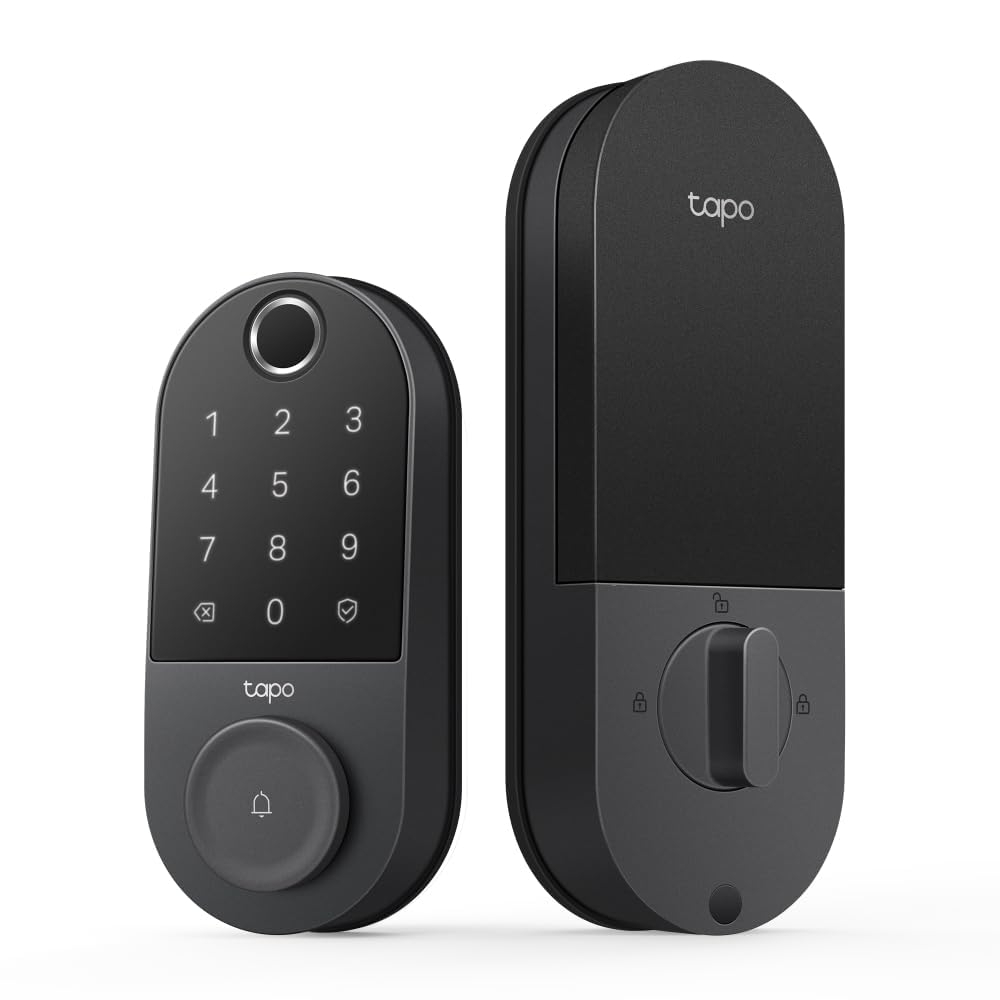
The battery is the first thing to know about Tapo's DL110, because it changes the whole ownership experience: instead of eight AAs, you get a removable pack that charges over USB-C, and the charger is in the box. Tapo quotes a year per charge. Two mechanical keys come with it as a fallback, so a flat pack at midnight is a nuisance rather than a lockout.

Where it earns the top spot is coverage. The fingerprint reader takes up to 100 prints and Tapo rates a read at 0.42 seconds, and there's a touchscreen keypad, app control over built-in Wi-Fi, Bluetooth when you're standing at the door, and voice through Alexa or Google. A thumb is the fastest way in with your hands full, and we like that the sensor is the front door's main event rather than a bolt-on. It's also the only lock in this group with a BHMA Grade 2 rating, a step above the Grade 3 hardware the other locks here list.

Two trade-offs worth knowing. The pack is proprietary, so there's no dropping in AAs if it ever fails, and ordering a spare before you need one is the sensible move. Auto-lock runs on a simple timer rather than a schedule, which suits a household with a routine more than one where people stream in and out all afternoon.

Bottom line: Our default pick: fingerprint, keypad, app and voice with no hub, a battery you recharge about once a year, and the only Grade 2 hardware in this group.

2

TEEHO TE001 Keypad Deadbolt

TEEHO TE001 Keypad Deadbolt

Tight budgets

Our Score 9.0/10
Check Price

Worth Noting

  • No app, Wi-Fi, or remote access
  • ANSI Grade 3, the entry-level rating
Battery
4 AA, up to 365 days
Certification
ANSI Grade 3
Unlock Methods
Keypad code, key
Weather Rating
IP54
Read the full review

TEEHO's TE001 is the lock we suggest to anyone who wants keyless entry and nothing else. No app, no Wi-Fi, no fingerprint, just a backlit keypad, 20 user codes and two keys in the box. That reads like a limitation until you count what you're not doing: no account, no pairing, no app updates, and nothing to troubleshoot when the internet goes down.

The details are better than the money suggests. There's a one-time code that deletes itself after a single use, which is exactly right for a dog walker or a contractor, anti-peep coding lets you type random digits around your real PIN, and holding any key for two seconds locks the door behind you. Auto-lock can be set from 10 to 99 seconds and ships switched off, which we think is correct: turn it on once you've watched the bolt throw cleanly on your own strike plate.

What you give up is everything networked, so there's no unlocking from the office, no entry history and no voice control. The hardware is ANSI Grade 3, the entry-level residential rating, and the matte black finish over aluminum looks better than the money suggests without pretending to be premium. On a back door, a garage entry, or a rental where handing out a code beats handing out a key, we recommend it without hesitation.

Bottom line: If you want a code instead of a key and nothing smarter than that, this is the lock: 20 codes, a self-deleting guest code and a year on four AAs.

3

Veise KS01C Lock Set

Veise KS01C Lock Set

Knob replacements

Our Score 8.8/10
Check Price

Worth Noting

  • Keypad only, with no app or entry history
Included
Two matching door knobs
Certification
ANSI/BHMA Grade 3
Unlock Methods
Keypad code, key
Weather Rating
IP54
Read the full review

Most smart locks leave you with a new deadbolt above a thirty-year-old knob. Veise's KS01C arrives with two matching knobs, and that's the reason it stayed in the roundup: one purchase, one finish, both faces of the door matching rather than apologising to each other. The matte black over zinc alloy suits a painted door, the keypad is backlit for late arrivals, and the set is rated IP54 for weather.

Functionally it's a keypad lock with more modes than the money implies. Twenty user codes plus a master, unlimited one-time codes that erase themselves, a vacation mode that disables every user code and accepts only the master or a key, a passage mode that keeps the latch open during a party, and a silent mode for a door near a bedroom. Ten wrong codes and the keypad locks itself out for a while, which is tamper protection doing its job rather than a fault.

Where it stops is where every keypad-only lock stops: no app, no fingerprint, no entry log, no remote access. If your phone is your front door, this isn't the one. For a side door, a garage entry, or a rental where codes get handed out instead of phones, the matching knobs are what tip it.

Bottom line: One box replaces the deadbolt and both knobs, so a mismatched door finally matches, and it adds 20 codes, one-time guest codes and vacation and passage modes.

4

Philips 4200 WiFi Lock Set

Philips 4200 WiFi Lock Set

Full lockset swap

Our Score 8.8/10
Check Price

Worth Noting

  • Eight AAs drain quickly with Wi-Fi on
  • 2.4 GHz-only Wi-Fi needs a strong signal
Included
Two matching door levers
Connectivity
2.4 GHz Wi-Fi, no hub
Unlock Methods
Fingerprint, keypad, app, voice, key
Fingerprint Speed
0.3 seconds
Read the full review

The reason to look at Philips's 4200 rather than another deadbolt is in the box: two levers, finished to match the lock. Replacing an entry set usually means hunting for a lever that comes close to the deadbolt's finish and settling for close enough; here it's decided for you, and the matte black reads as deliberate rather than builder-grade.

The electronics are current. Fingerprint access is quoted at 0.3 seconds, among the quicker figures here, and you can store a print per finger for the same person, which is genuinely useful for a child who presses at an angle. Codes come in permanent, one-time, periodic and recurring forms, and recurring is the one we appreciate most: a cleaner who comes every other Tuesday gets one code instead of a new text every visit.

Two caveats, and one is battery. Eight AAs with a 2.4 GHz Wi-Fi radio inside is a hungry combination, and this is the model where the box's battery estimate is least likely to survive a busy house. The other is Wi-Fi itself: it's 2.4 GHz only and wants a decent signal at the door, so a router at the back of the house means re-pairing sessions. Both are worth it for a matched set. If you're only changing the deadbolt, a deadbolt-only lock does the same job for less.

Bottom line: Choose this when the whole entry needs a refresh: two matching levers, 0.3-second fingerprints and Wi-Fi without a hub, provided your router reaches the door.

5

Veise VE017 Fingerprint Lock

Veise VE017 Fingerprint Lock

Cheap fingerprint entry

Our Score 8.6/10
Check Price

Worth Noting

  • Remote access needs the extra Veise G1 gateway
Included
2 keys and 2 key cards
Certification
ANSI Grade 3
Remote Access
Requires Veise G1 gateway
Unlock Methods
Fingerprint, code, app, key card, key
Read the full review

A fingerprint reader for the money of a decent keypad lock is the pitch, and Veise's VE017 mostly delivers: the sensor reads quickly, several prints per person can be registered, and the box includes two key cards for kids or a cleaner who prefers tapping to typing. Eight ways in by Veise's count, including thumb, code, app over Bluetooth, card, key and shared codes. That's a lot of ways in for the money, and we came away thinking it's the sensible budget answer for anyone who wants a thumb rather than a code.

The gateway is the part to read twice. The listing says Wi-Fi; the lock itself is Bluetooth, and remote unlocking, entry history from elsewhere and Alexa or Google control all route through Veise's G1 gateway, which is sold separately. Without it you're within Bluetooth range of the door, which is fine for a household and useless for letting a guest in from the office. If remote access is the point, price the gateway into the decision, because that's the difference between this and the Tapo, which has the radio built in.

What we do like: fingerprints and codes are encrypted and stored on the lock rather than in an account, and the two cards give someone who won't install an app a way in. As a fingerprint-and-keypad deadbolt with an app that works while you're nearby, it's good value. As a remotely managed front door, it's half a product until the gateway arrives.

Bottom line: The least expensive way to get a fingerprint reader onto a deadbolt, and a good one, as long as you accept that remote access means buying Veise's gateway.

6

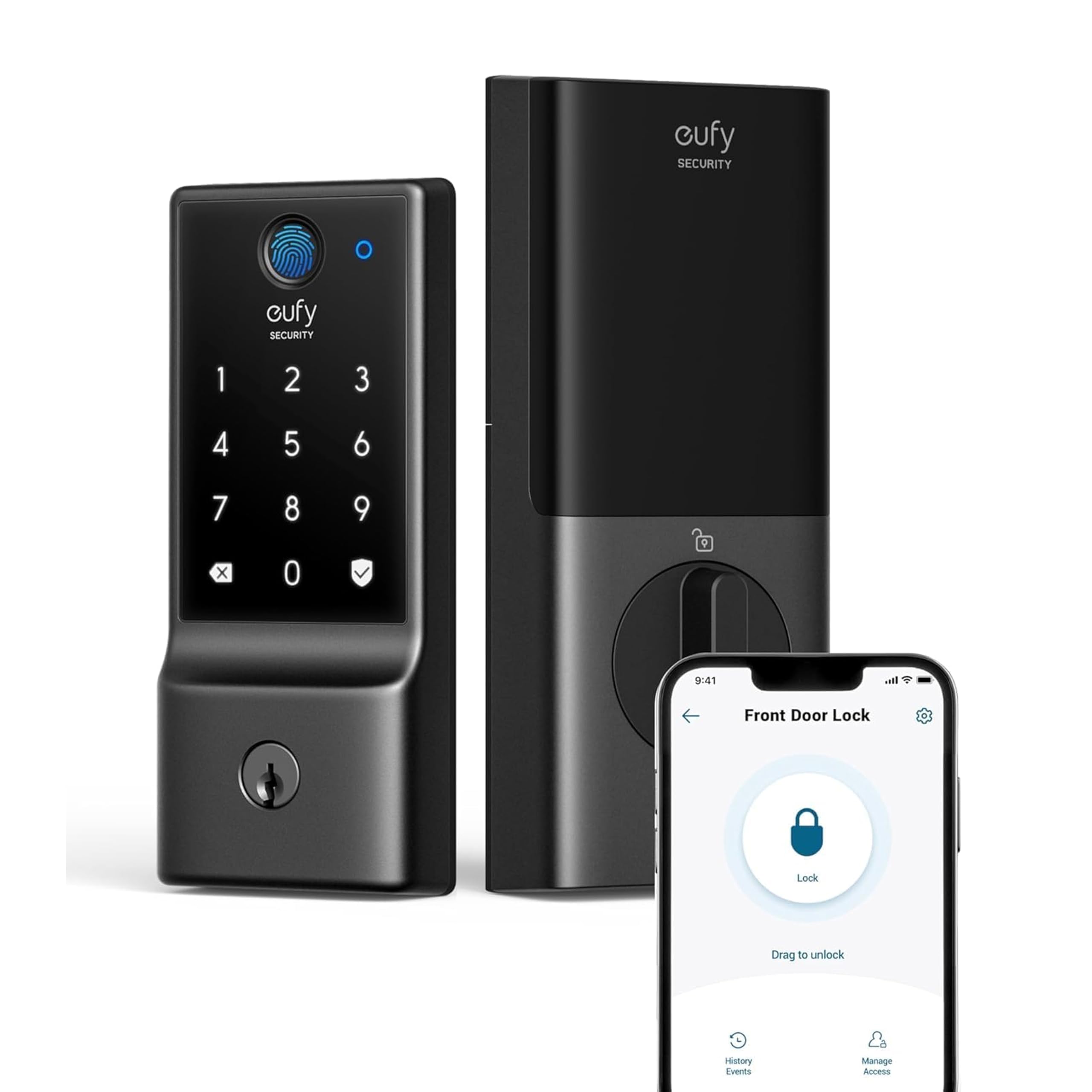
eufy Smart Lock C220

eufy Smart Lock C220

eufy households

Our Score 8.4/10
Check Price

Worth Noting

  • Eight AAs with always-on Wi-Fi drain fast
Battery
8 AA, up to 8 months
Connectivity
Built-in Wi-Fi
Certification
BHMA Grade 3
Unlock Methods
Fingerprint, keypad, app, voice, key
Read the full review

eufy's C220 is the lock we suggest for a house that already runs eufy cameras or a doorbell, because it joins the same app: the lock can be folded into routines with the doorbell and its activity lands in the same place as everything else. Built-in Wi-Fi means no bridge and no spare plug taken up in the hallway.

The fingerprint sensor is the good part. eufy's self-learning claim is that recognition sharpens with use, and the practical version of that advice is to register the same finger twice from slightly different angles, which is what turns a fussy read into a first-time read. Fingerprint, keypad, app, physical key and voice through Alexa or Google, plus an auto-lock you can toggle from your phone.

Batteries are where we set our expectations. Eight AAs running an always-on Wi-Fi radio is a lot to ask, and the eight-month figure assumes a quiet door; a busy household that unlocks a dozen times a day goes through cells faster. Use lithium AAs, turn off notifications you don't need, and treat the low-battery alert as a same-week job rather than a next-month one. Do that and the C220 is an easy lock to live with, especially when the cameras are already eufy's.

Bottom line: Worth it if your house already runs eufy cameras, because the lock, doorbell and app share one home; otherwise the eight-AA appetite and mixed fingerprint reads weaken the case.

What Eight Months With 14 Smart Locks Taught Us

We started with a list of about 30 smart locks and cut it down by checking the things that actually decide whether one will work in your house: deadbolt backset and door thickness compatibility, whether the lock needs a separate hub for remote access, security grade, and price. Fourteen made the cut, and we spent eight months with them on a main front entry, a back door off the kitchen, a garage service door, and one stubborn older deadbolt that made us drill a new hole. I timed every installation alone with a screwdriver and a phone, and noted where the printed instructions and the in-app steps disagreed — several did.

Then we lived with them. We added and deleted user codes for family, a dog walker, and a contractor, set schedules, and revoked access to see how long the change took to actually reach the lock. Fingerprint readers got enrolled with dry hands, damp hands, and post-gardening hands. We timed each auto-lock delay and checked whether the lock knew the door was open before it threw the bolt. Every misfire, app dropout, and unexplained beep went into a shared log, because one hiccup in a week is noise and three is a pattern.

Battery life we tracked by logging percentages every Sunday, and we deliberately ran one lock down to nothing to see how much warning it gave and whether the physical key still worked. On security, we checked for a key override, confirmed the interior thumbturn still opened the door during a battery failure, and looked at whether the app pushed two-factor authentication at setup. Appearance and build quality got the least scientific treatment: we stood back and asked whether each lock looked like door hardware or a plastic gadget, then jangled keys against the keypad for eight months to see how the finish held up.

How to Choose

Decide how you get in before you count features

Fingerprint is the fastest way in for an adult with full hands. A code suits a child without a phone and a guest you don't want installing an app. The phone matters mostly when you aren't there. A lock that does all three sounds better than one that does two, but the method you use twice a day is the one worth judging, which is why the keypad-only locks here lose nothing for a household that just wants a code.

Conditions count too. A fingerprint reader wants a reasonably clean, dry finger, while a keypad and a mechanical key don't care about rain or garden soil.

Built-in Wi-Fi or a bridge in a cupboard

Remote access is the specification that gets fudged most. Wi-Fi on a listing can mean the lock joins your network itself, or that it speaks Bluetooth and needs a gateway. Veise's VE017 needs the G1 gateway before anything works remotely; the Tapo, eufy and Philips locks connect to the router on their own. One question settles it: does this lock join my network by itself?

Then check the signal at the door. These radios are 2.4 GHz only, and a hallway behind a brick wall is where app control goes to die.

Battery is the running cost nobody quotes

An always-on Wi-Fi radio is the biggest battery draw in a smart lock, which is why the same model can last a year in one house and a couple of months in another. Weigh the two designs honestly: a rechargeable pack you top up over USB-C removes the AA habit, while eight AA cells are easy to buy anywhere but expensive to feed.

Whichever you pick, keep a mechanical key somewhere outside the house and act on the first low-battery warning rather than the second.

Fit the door, then fall for the finish

Most US entry doors are prepped with a 2-1/8-inch bore and either a 2-3/8 or 2-3/4-inch backset, and nearly every lock here fits that. The form matters more than the prep. A deadbolt-only lock reuses the knob or lever you already have. A lockset such as Veise's KS01C or Philips's 4200 replaces the handles as well, which is exactly what you want if the old ones are mismatched and a waste of money if they're fine.

Measure the backset, the distance from the door edge to the center of the bore, before you order.

Grades, and the parts that actually fail

ANSI/BHMA grades are the plainest quality signal in this category. Grade 2, which Tapo carries, is a step above the Grade 3 hardware most of this group lists, and it's worth the premium on a door that's your only way in.

Beyond the certificate, the failures that matter are mechanical: a deadbolt that rubs the strike plate, an auto-lock that fires before the door is shut, a keypad that quits in the cold. Install the lock, work it by hand, then by keypad, then by app, and adjust the strike plate before you switch on auto-lock.

Frequently Asked Questions

Final Verdict

The Tapo DL110 is the lock we recommend for most front doors. It covers every way you'd reasonably want to get in, needs no hub, charges over USB-C instead of eating AAs, and carries Grade 2 hardware where the rest of this group lists Grade 3.

If your entry also needs new handles, Philips's 4200 gives you the same kind of electronics with two matching levers, and Veise's KS01C does it more cheaply with knobs and no app. If a code and nothing else is the whole brief, the TEEHO TE001 is the honest answer.