Smart Home

5 Best Smart Displays of 2026: Echo Show Picks by Size

We compared five Echo Show smart displays by size, sound, camera and placement to find the right one for your kitchen, nightstand or wall.

A smart display earns its place when it is doing something useful while your hands are full — reading out a recipe step, starting a timer, or calling grandma during dinner prep. The trouble is that many look like helpful countertop appliances and then turn out to be slow, dim, or fussy about staying connected. I have a low tolerance for a screen that makes me repeat myself, and I suspect you do too. What you want is a display that sounds good enough for kitchen music, looks intentional on a shelf, and makes setup feel effortless.

We tried 12 smart displays over six months, living with them on kitchen counters, bedside tables, and home-office desks. My team noted whether setup made sense without instructions, whether the screen felt large enough for a recipe or video call, and whether the assistant answered on the first try. A smart display should simplify the room it sits in, not add another gadget to troubleshoot.

1

Echo Show 21

Top Pick
Echo Show 21

Family command center

Our Score 8.8/10
Check Price

Worth Noting

  • Takes serious wall or counter space
Display
21 in Full HD
Streaming
Built-in Fire TV
Smart Home
Dashboard with camera feeds
Home Screen
Customizable widgets
Read the full review

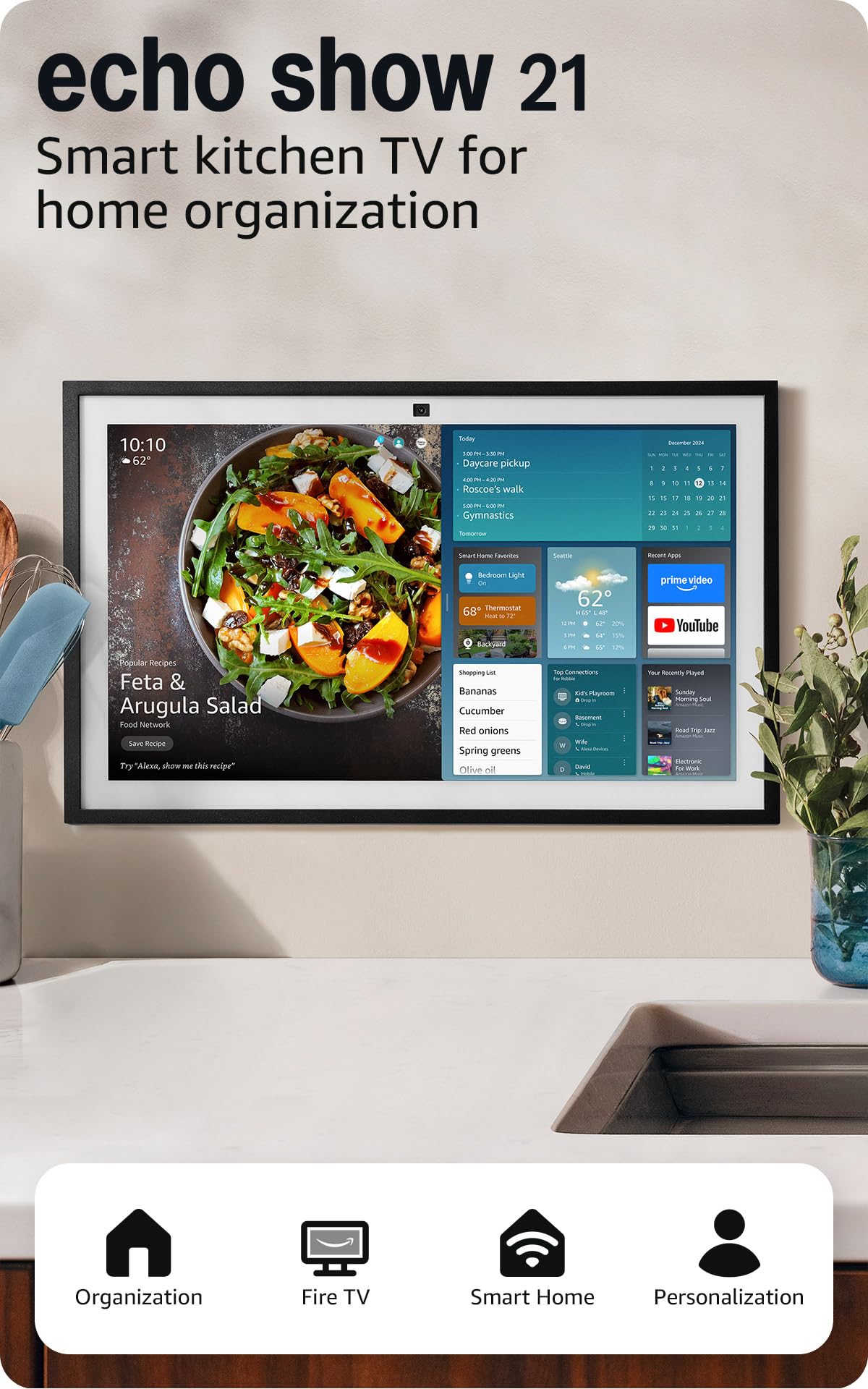
A 21-inch panel changes what the thing is for. Widgets for the family calendar, to-do lists, local weather and smart home controls sit on the home screen at a size you can read from the stove, and the built-in Fire TV turns the same glass into a small television for the room where everyone already gathers.

Fire TV is the part to weigh hardest. It brings Prime Video, Netflix and YouTube to the screen that also runs the shopping list, so this can plausibly replace a counter TV as well as the paper calendar, which is the argument for spending here rather than on the 15.6-inch model. The smart home dashboard puts lights and camera feeds a tap away, and the photo slideshow keeps it from being a wall of widgets when nothing is happening.

What it asks in return is space. This is the biggest display in this group by a wide margin and it needs a wall or a deep counter run that nothing else wants. In a small kitchen it will feel like a billboard, and there the 11 handles calendars and lists perfectly well. In a big room with a family that genuinely uses it, the size stops being excess and becomes the entire point.

Bottom line: Our pick for a big kitchen that runs on a shared calendar, provided you have the wall space and the budget to justify it.
2

Echo Show 15

Echo Show 15

Large shared spaces

Our Score 8.8/10
Check Price

Worth Noting

  • A big price step up from the 11
  • Middle size that suits fewer rooms than either neighbor
Display
15.6 in Full HD
Streaming
Built-in Fire TV
Smart Home
Smart home dashboard
Home Screen
Customizable widgets
Read the full review

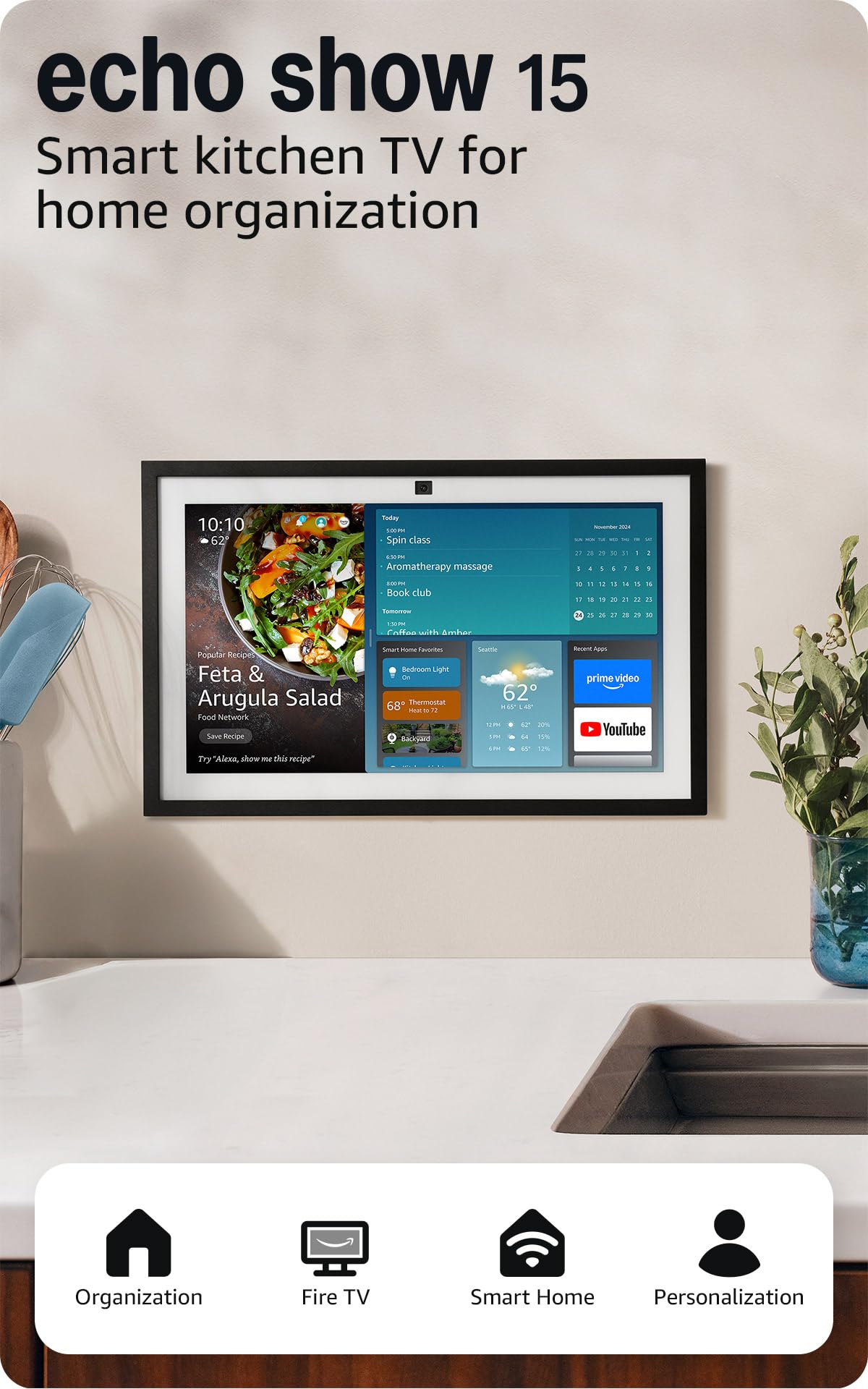
The Echo Show 15 is the sensible middle of the big-screen end, and we rate it just behind the 21 rather than alongside it. You get 15.6 inches of Full HD, built-in Fire TV, and the same customizable widget home screen — the organizing idea that makes any of these worth putting on a wall — with noticeably less panel to do it on.

Less panel is the whole story. A shared wall display earns its keep by being readable from across the room, and the 21 does that better; the 15.6 reads comfortably from a few feet, which covers a breakfast bar or a desk-side wall but not a whole open-plan kitchen. If the far side of the room needs to read it, pay for the 21. If not, the 11 runs the same calendars for far less.

Where the 15 has an edge is placement. It is big enough to organize a family and small enough to sit on a counter run that the 21 would dominate, which matters in a house where the display might move rooms. Video calling is the open question: the 11 and the 8 both advertise auto-framing cameras with 3.3x zoom, and this model's specs do not make the same promise. If calls are the reason you are buying, that is the detail to confirm first.

Bottom line: A good big-screen display that we rank behind the 21: the same organizing idea with less panel, less cost, and the same need for a committed wall.

3

Echo Show 11

Echo Show 11

Everyday kitchen use

Our Score 8.4/10
Check Price

Worth Noting

  • Wants a decent counter run
Audio
Spatial audio
Camera
Auto-framing, 3.3x zoom
Display
11 in Full HD
Smart Home
Built-in hub
Read the full review

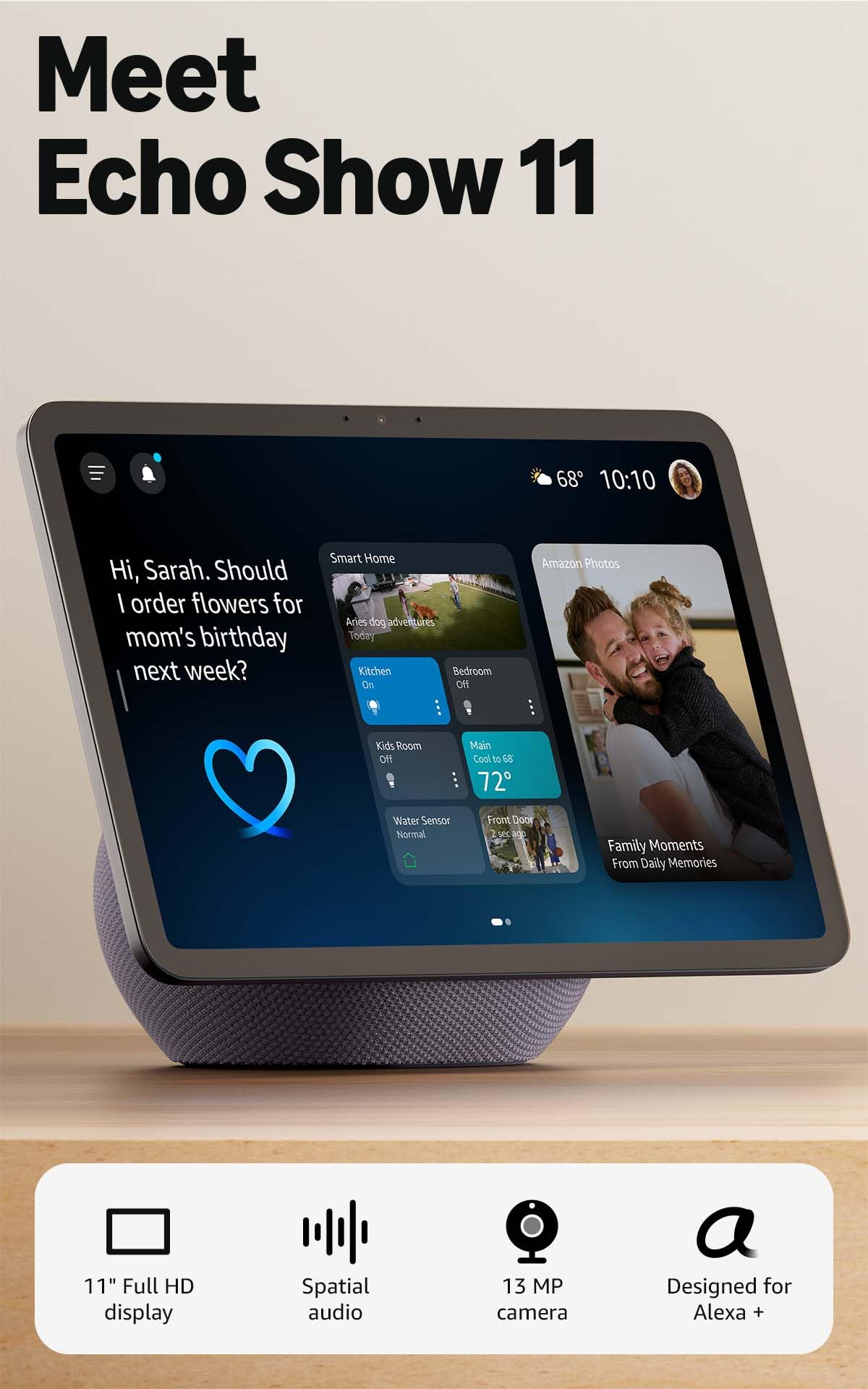
Eleven inches is the size where a smart display stops being a gadget and becomes the thing you walk over to. The panel gives you 60% more viewing area than the Echo Show 8, which is the difference between squinting at a recipe and reading it from the far side of the counter. That is why it earns the top spot for most homes: big enough for the kitchen, not so big that it needs a wall of its own.

The sound is the part we did not expect to care about. Spatial audio gives it a wider stage than a screen this size has any right to, and vocals stay clean when you push the volume for a podcast while something simmers. The centered camera auto-frames and zooms 3.3x with noise reduction, so you can step back to the stove mid-call and stay in shot. There is a smart home hub built in as well, which means lights, thermostats and camera feeds do not need a separate bridge device in the cupboard.

Where it slips is the cloud. Voice response can lag when several requests stack up, and a display pushed to the far corner of the house is more likely to need a second ask. Neither spoils the everyday jobs — a timer, a shopping list, a doorbell check still land — but keep it within decent Wi-Fi range if you plan to stream. In most kitchens that is a placement decision rather than a reason to look elsewhere, and it is the one thing we would fix before hanging anything on the wall.

Bottom line: We recommend it as the default smart display here: the 11-inch screen reads across a kitchen, the sound holds up, and the camera makes calls worth taking.

4

Echo Show 8

Echo Show 8

Small counters

Our Score 8.4/10
Check Price

Worth Noting

  • HD panel, not the Full HD of the larger models
Audio
Spatial audio, up to 2x bass
Camera
Auto-framing, 3.3x zoom
Display
8.7 in HD
Smart Home
Built-in hub
Read the full review

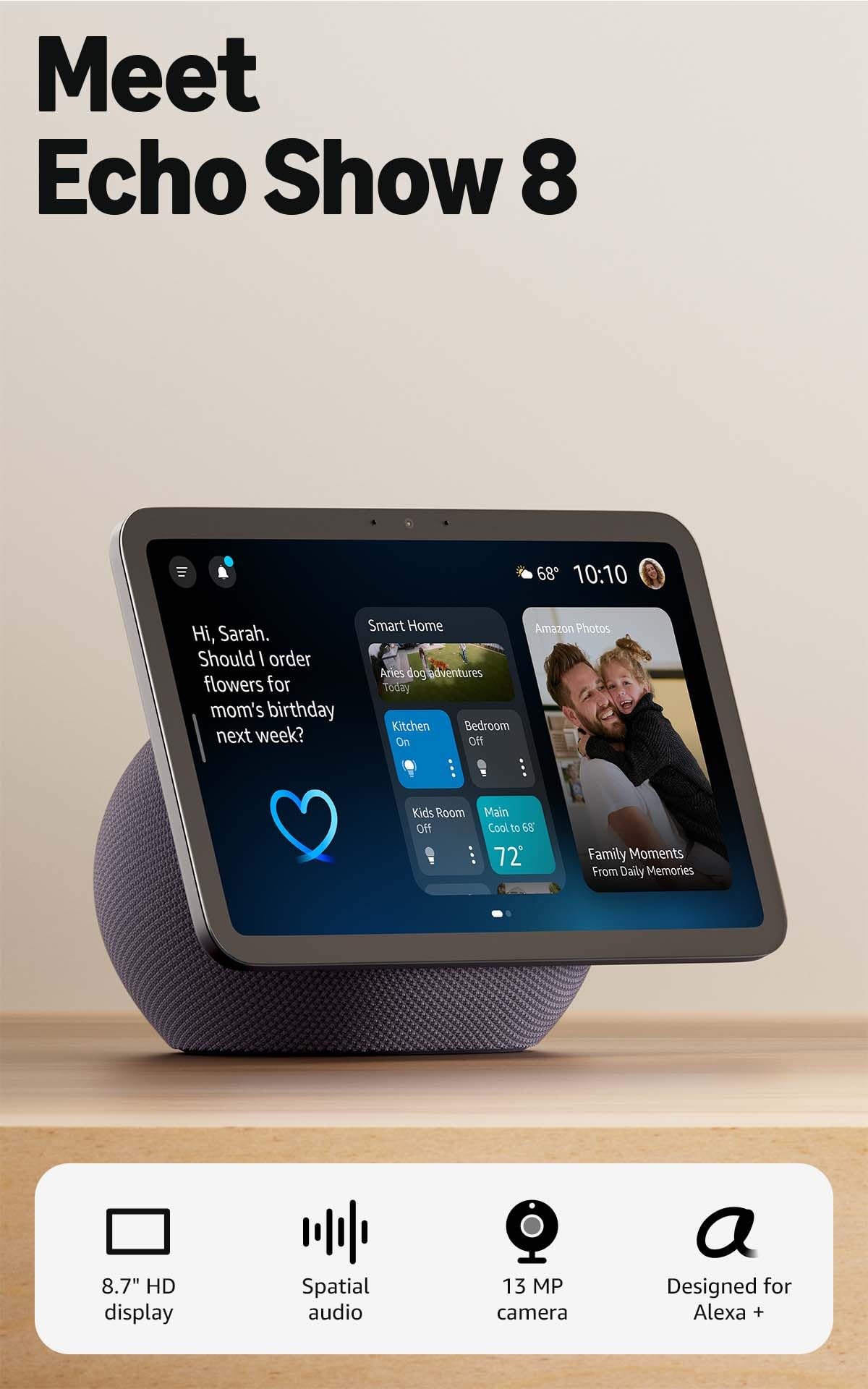
The Echo Show 8 is the model to look at when counter space is the constraint rather than the budget. At 8.7 inches it gives up screen area to the 11 and keeps everything that is harder to live without: the same centered auto-framing camera with 3.3x zoom and noise reduction, the same built-in smart home hub, and spatial audio that Amazon rates at up to twice the bass of the display it replaces.

For a hallway shelf, a home office or a small kitchen, that is the right trade — a bigger panel there would crowd the toaster and buy nothing. Our rule of thumb after living with both sizes: within a few feet, the extra screen is wasted, and the 8 is the one that disappears into the room. If you want to read from across a kitchen, spend the difference and take the 11.

Setup is the same Alexa experience as the rest of the family, so there is no new interface to learn, and the photo slideshow is the mode we leave running — a screen showing family photos is far easier to justify on a counter than one showing a weather widget. It also sits a step below the 11 on price, which makes it the low-risk way into the family.

Bottom line: Buy this one when the counter is tight — we think it keeps the camera, the audio and the hub that matter while giving up only screen.

5

Echo Show 5

Echo Show 5

Bedside and budget

Our Score 8.4/10
Check Price

Worth Noting

  • Touch response can lag behind your taps
Audio
2x bass, clearer vocals
Camera
Built-in for drop-ins
Display
5.5 in touchscreen
Smart Home
Voice control of compatible devices
Read the full review

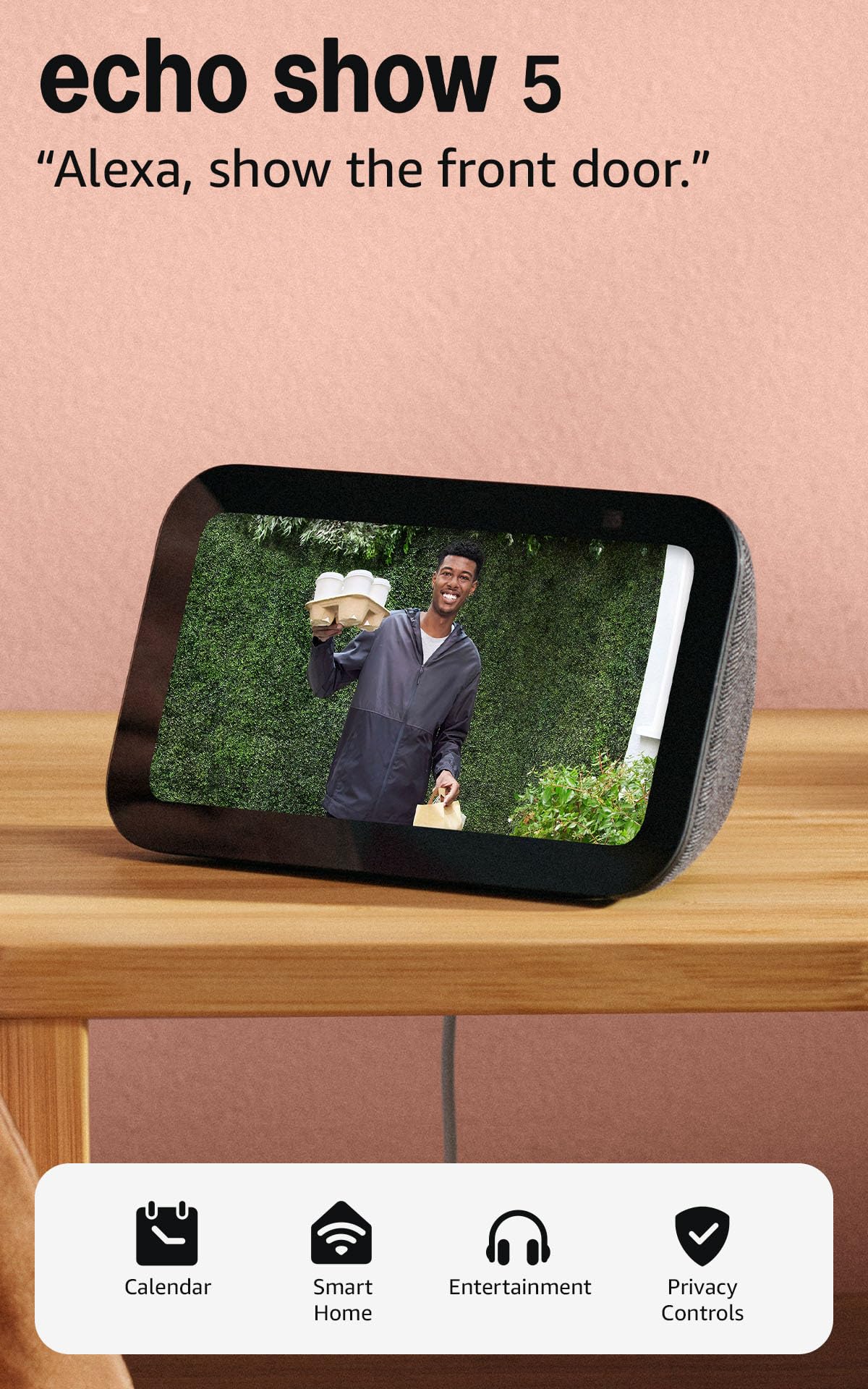
Five and a half inches is the entire argument. The Echo Show 5 gives you the weather, a shopping list, a doorbell feed and a video call in something that fits where a clock radio used to sit, and it is the only display in this group that disappears into a room rather than organizing it.

That is exactly why it stays on the list. On a nightstand, a desk corner or in a guest room, a bigger panel would be money and space spent on nothing, and the speaker is louder and clearer than the size suggests. The camera handles drop-ins and front-door checks, and the slideshow turns it into a very good clock when nothing else is happening.

Just do not ask it to run the kitchen. Recipes need scrolling, long text is cramped, and the touchscreen is not the quickest of the group — taps sometimes land a beat late and a second request is more common here than on the 11. Buy it as a small Alexa terminal in a room where you are always close to it, and it does its job without complaint.

Bottom line: We keep it in the roundup as the bedside and budget choice: small, inexpensive and capable, as long as you do not expect a kitchen screen.

How We Tested Smart Displays in Real Rooms

We started by scanning current models and owner reviews, then narrowed the field by screen size, price, and the basics we knew readers ask about: strong sound, a clean look, and support for the smart-home platforms people actually use. That left us with 12 smart displays, which we used for six months. We set them up on kitchen counters, bedside tables, and home-office desks, because that is where a display either becomes useful or gets ignored.

I timed the first setup from unboxing to a working home screen, without opening the manual unless I got stuck, and noted when a display demanded an app, an account, or a second attempt. Each one then ran through a normal week of timers, recipes, music, video calls, calendars, and smart-home controls. We watched for lag between a voice command and the answer, dropouts when moving between Wi-Fi bands, and how often we had to reboot or reconnect a device. A display that needed babysitting lost points quickly.

For sound, we played the same podcast episode and a few music tracks in a quiet room and then with a dishwasher running, listening for muddy voices, thin bass, and how far the volume carried. We checked screen size against real tasks—could we read a recipe from the stove, follow a video call from across the room, and see the screen at an angle without washing out? Appearance and build quality got judged the way a guest would: bezel, footprint, cable clutter, sticky touchscreens, loose stands, and whether the display looked like furniture or a spare tablet. Value came down to whether the features we used daily justified the space and money, not whether the spec sheet was longest.

How to Choose

Start with viewing distance, not inches

Screen size only matters against the distance between your eyes and the glass. At arm's length on a nightstand, the 5.5-inch Echo Show 5 is plenty, and anything bigger is wasted money on the shelf. Standing at a counter with your hands in a bowl, an 11-inch panel lets you read a recipe without leaning in; the 8.7-inch Show 8 does the same job if you stay within a few feet.

For a wall the whole family reads from across a room, 15.6 inches is the floor and the 21-inch model is the one that genuinely carries. Walk the distance before you order, not after.

Decide whether it is a family board or a personal screen

The big models earn their keep as shared infrastructure: widgets for calendars, to-do lists and weather that several people glance at, plus a photo slideshow when nothing is happening. The small ones are personal — a bedside clock, a shopping list, a doorbell check.

Be honest about which habit you actually have. A huge board nobody updates is an expensive clock, and a small screen cannot run a household schedule. We buy the size of the room's habit, not the size of the room.

Camera and sound are the specs people skip

If calls are part of the plan, look for an auto-framing camera with zoom. The Echo Show 11 and Echo Show 8 both list one with 3.3x zoom and noise reduction, which is what keeps you in shot while you move around the kitchen. If the camera model is not stated, treat video calling as unproven and check before you buy.

Sound matters just as much if the display becomes the house radio. Spatial audio on the 11 and the 8 is built to fill a room, where the Show 5 is built for a nightstand. Pay for the job you will do every day.

Plan for the outlet and the signal

Every display here runs on a cord, so the nearest outlet decides placement as much as the wall does. Route the cable away from walkways and cooking surfaces rather than stretching it across them.

Wi-Fi is the other half. Lag and repeated commands are the usual weak spot with these screens, and a display on a far wall with two rooms between it and the router is where that shows up. Test the signal on your phone at the exact spot before you commit to it.

Know which assistant your home already speaks

All five of these are Echo Shows, so the question is not Alexa versus something else — it is whether Alexa already runs your lights, thermostat and doorbell. If it does, buying here is simple, and the 8 and the 11 build the smart home hub in so compatible devices do not need a separate bridge.

If your home is built around a different assistant, none of these is the right purchase, however good the screen looks on the counter.

Frequently Asked Questions

Final Verdict

The Echo Show 11 is the one we point most people toward. It is the size that fits a kitchen without taking it over, the audio holds up when it becomes the house radio, and the camera makes video calls something you will do rather than avoid.

Buy the Echo Show 8 if your counter is tight, and the Echo Show 21 only if the kitchen is genuinely where the family organizes itself. Otherwise you are paying for wall art.