Smart Home

8 Best Smart Light Switches of 2026: That Match Your Wiring and Your Walls

Which smart dimmers and switches actually hold a connection and blend into your decor — without needing an electrician or a hub you never wanted.

A smart light switch should feel invisible — blending into your decor while responding instantly to voice commands. Too often, the switch that caught your eye online becomes a source of daily frustration: it loses WiFi, flickers with certain bulbs, or demands a wiring overhaul you hadn't planned for. For a home decorator, a switch that looks polished but performs erratically is no upgrade at all.

The best smart switch for your room isn't about the flashiest app or the lowest price; it's about matching the switch's technical demands to your home's actual wiring and ecosystem. A switch that needs a neutral wire won't work in a 1950s house, and a WiFi-only model may struggle in a thick-walled bedroom. The guide below maps these hidden factors against the designs that disappear neatly into your wall and your life.

#1

Best Overall

Kasa HS220P3 Dimmer 3-Pack

Kasa HS220P3 Dimmer 3-Pack

4.6
  • Hub: No Hub
  • Dimming: Yes
  • Ecosystem: Alexa, Google
  • Pole Config: Single Pole
Check Price

Pros

  • App-guided setup makes wiring a dimmer unusually easy
  • Alexa and Google voice control integrate smoothly without a hub
  • 3-pack price is cost-effective for upgrading multiple rooms

Cons

  • Wi‑Fi connection can drop in some setups, requiring a manual reset
  • Dimming smoothness and minimum brightness depend on LED bulb choice

The Kasa HS220 dimmer makes single-pole smart lighting a straightforward project: the app walks you through installation step by step, and once connected, voice dimming with Alexa or Google Assistant responds quickly. On 2.4GHz Wi‑Fi, some network environments may cause the switch to lose connection and require a reset. LED dimming smoothness varies by bulb — some may bottom out brighter than expected. In isolated cases, the switch can stop responding after months of use.

This 3‑pack suits homeowners with neutral wiring who want to upgrade multiple rooms without a hub or premium price. It’s ideal for DIYers comfortable inside a switch box and anyone seeking simple voice dimming for overhead lights. Wi‑Fi drops, while not a given, are possible; if occasional resets are a dealbreaker, this may not be the pick. Also skip it if you’ve got 3‑way circuits or rely on Apple HomeKit.

💡 Tip: Pair with dimmable LEDs that list wide compatibility ranges; some bulbs may bottom out brighter than expected.

Bottom Line: For a neutral-wired home, this 3‑pack delivers hub-free dimming with Alexa and Google at a per‑switch cost that’s hard to beat. The trade‑off is potential occasional Wi‑Fi hiccups — but if you can tolerate a quick reset now and then, it’s a practical, beginner‑friendly upgrade.
#2

Best for No-Neutral Homes & Apple HomeKit

Lutron Caseta PD-6WCL

Lutron Caseta PD-6WCL

4.7
  • Hub: Required
  • Dimming: Yes
  • Ecosystem: Alexa, Apple, Google, Ring, Sonos
  • Pole Config: Single/3-Way
Check Price

Pros

  • Rock-solid dimming and lighting control, free from WiFi interference.
  • Installs easily in older homes without a neutral wire.
  • Broadest smart home compatibility: Apple HomeKit, Alexa, Google, Ring, Sonos.

Cons

  • Premium price tag
  • Requires a separate Lutron Smart Hub, adding complexity and cost to the setup.

Lutron’s PD-6WCL works without a neutral wire, pairing with Apple HomeKit out of the box — a rarity among smart dimmers. Its proprietary Clear Connect wireless protocol, managed by the required Smart Hub, sidesteps WiFi congestion for flicker-free dimming even with tricky LED loads. Unlike the pricier paddle variant in this line, the PD-6WCL keeps the same hub-centric reliability without the premium styling, making it the practical choice.

This dimmer is built for older homes where neutral wires are absent and for smart homes anchored in Apple’s ecosystem and voice assistants from Amazon and Google. The hub requirement means an additional upfront cost and a plugged-in bridge, so it’s less suited to renters or those wanting a single-switch solution. For reliability and HomeKit support, though, it’s the dimmer to beat in challenging wiring situations.

💡 Tip: Place the Lutron Smart Hub centrally and away from large metal objects; its proprietary frequency avoids Wi-Fi congestion for consistent dimmer response.

Bottom Line: For older homes without neutral wiring or for households committed to Apple HomeKit, the PD-6WCL delivers the most dependable dimming on the market — just budget for the hub.
#3

Best Value Dimmer Multipack

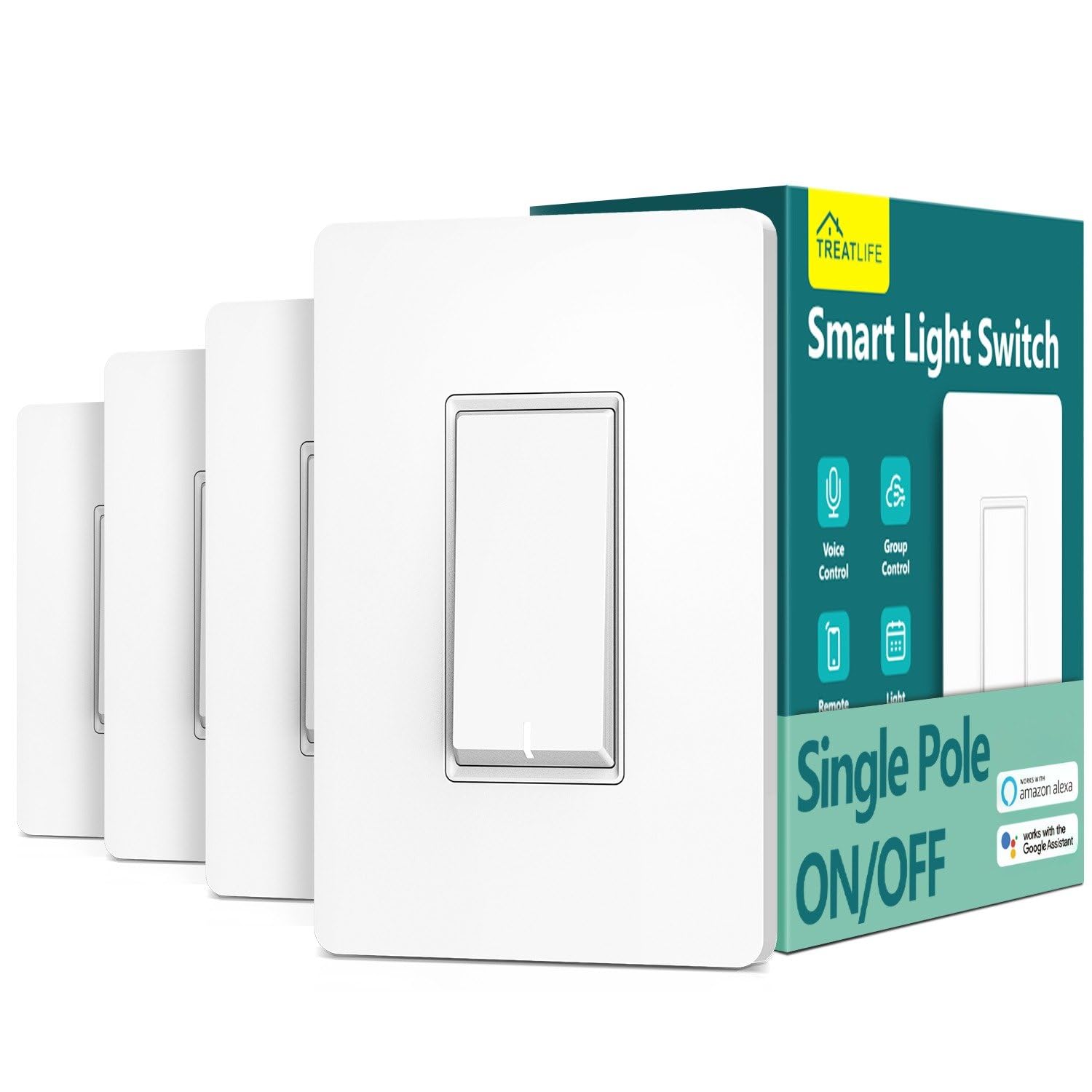
Treatlife Dimmer 4-Pack

Treatlife Dimmer 4-Pack

4.4
  • Hub: No Hub
  • Dimming: Yes
  • Ecosystem: Alexa, Google
  • Pole Config: Single Pole
Check Price

Pros

  • Easy installation with clear app-guided setup
  • Smooth dimming with customizable brightness levels and ramp rates
  • Outstanding value: four dimmers for the price of two premium switches

Cons

  • Dimming may flicker with certain LED bulbs; compatibility testing required
  • A switch may become unresponsive after months of use, requiring replacement

For a whole-home dimming upgrade, this 4-pack provides smooth dimming and voice control via Alexa or Google at a per-switch price that rivals basic on/off models. Installation is quick with in-app guidance, and adjustable ramp rates feel polished.

LED bulb compatibility can be hit-or-miss; flicker may appear with certain brands. Long-term reliability doesn't match Lutron's standard, and a switch may become unresponsive after months. This is the right choice if you have neutral wiring, use Alexa/Google, and are prepared to test bulbs to get flawless dimming.

💡 Tip: Test one dimmer with your existing LED bulbs before installing all four — compatibility varies.

Bottom Line: If you're outfitting several rooms and already have neutral wiring, this pack delivers the most dimming for your dollar — just budget time to find compatible LED bulbs.
#4

Best 3-Way Dimmer Solution

Kasa KS230 3-Way Dimmer

Kasa KS230 3-Way Dimmer

4.4
  • Hub: No Hub
  • Dimming: Yes
  • Ecosystem: Alexa, Google, SmartThings
  • Pole Config: 3-Way
Check Price

Pros

  • True 3-way dimming from both switch locations without a separate hub or bridge.
  • Guided in-app setup helps walk through multi-switch wiring identification.
  • Cost-effective kit versus buying two smart dimmers separately.

Cons

  • Dimmable LED bulbs vary in compatibility; some may hum or flicker at low levels.
  • Wi-Fi connection can drop in busy network setups, needing an app-based re-pair.

The KS230 KIT replaces both switches in an existing 3-way circuit, adding dimming at each location and scheduling via Alexa or Google Assistant without a separate bridge. It suits DIYers with modern wiring (a neutral wire is required) who want to keep both physical switch positions operational. Wire identification can get confusing if the existing setup differs from common layouts, and occasional Wi-Fi disconnections may demand an app-based re-pair, but for those prioritizing hub-free 3-way dimming, these tradeoffs are manageable.

💡 Tip: Position your 2.4GHz access point within strong range of the switch, and keep the Kasa app updated for the most stable connection.

Bottom Line: For homes with neutral wiring and an existing 3-way circuit, this kit delivers hub-free dimming at both switch locations — accept that wiring may require patience, and occasional reconnection is part of the deal.
#5

Best Future-Proof Matter Switch

Tapo S505 Matter 2-Pack

Tapo S505 Matter 2-Pack

4.6
  • Hub: No Hub
  • Dimming: No
  • Ecosystem: Apple, Alexa, Google, SmartThings
  • Pole Config: Single Pole
Check Price

Pros

  • Works with Siri, Alexa, Google, and SmartThings via Matter
  • Guided app setup makes installation straightforward even for beginners
  • Budget-priced 2-pack gives multi-platform control at an entry-level cost

Cons

  • HomeKit pairing may require a reset or multiple attempts
  • Occasional unresponsiveness may need a power cycle to restore connectivity

The Tapo S505 brings true multi-platform voice control to in-wall lighting without a proprietary hub, working with Apple Home, Alexa, Google, and SmartThings via Matter. Its guided app setup and neutral-wire single-pole design make installation accessible for most modern homes, and the 2-pack delivers solid value. Matter pairing can be inconsistent, and occasional unresponsiveness may require a power cycle. This switch fits tech enthusiasts or Apple HomeKit users who are comfortable troubleshooting early protocols and want a budget-friendly on/off control for standard single-pole circuits.

💡 Tip: For smoother HomeKit pairing, connect your phone to the 2.4GHz Wi-Fi network and reset the switch before adding it in the Home app.

Bottom Line: The most cost-effective route to hub-free Matter control for Apple HomeKit households — just be ready for occasional pairing resets.
#6

Best Premium Dimmer for Design

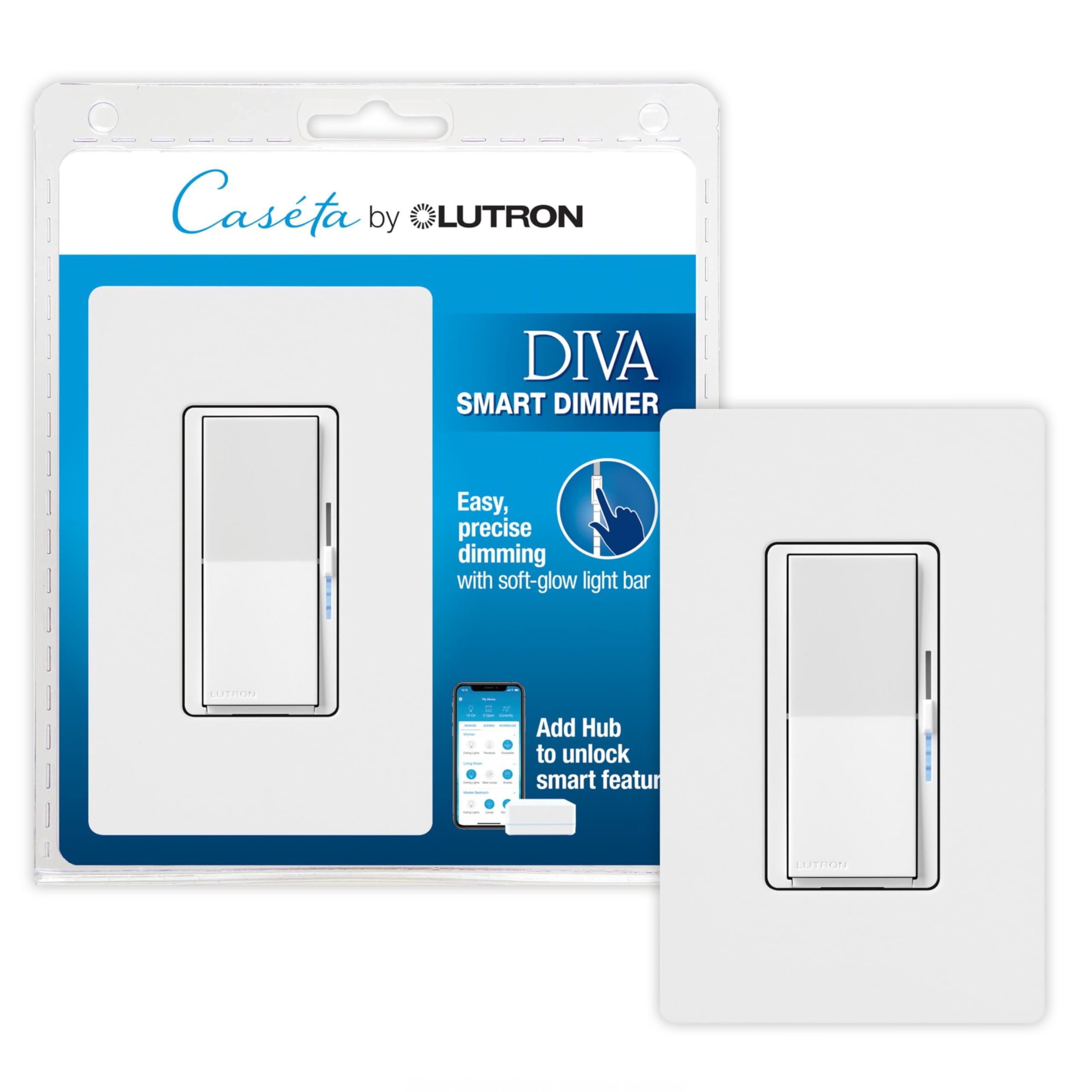
Lutron Diva DVRFW-6L

Lutron Diva DVRFW-6L

4.8
  • Hub: Required
  • Dimming: Yes
  • Ecosystem: Alexa, Apple, Google, Sonos
  • Pole Config: Single/3-Way
Check Price

Pros

  • Precise, smooth dimming with a preset slider and soft-glow locator bar.
  • Design that matches traditional paddle dimmers, blending into upscale interiors.
  • Dependable compatibility with Alexa, Apple HomeKit, Google, and Sonos via the hub.

Cons

  • Premium-priced
  • Needs a separate Lutron Smart Hub, so you can't use it as a standalone Wi-Fi switch.

The DVRFW-6L mirrors the look of a traditional paddle dimmer, with a soft-glow light bar along the right edge that doubles as a preset indicator — a detail absent from the button-based Caseta switches. Installation needs no neutral wire, same as the workhorse dimmer, but the Diva swaps the button interface for a familiar slider and paddle.

It requires a Lutron Smart Hub and carries a premium per-switch cost, so it's a luxury upgrade for existing Caseta users or those prioritizing aesthetics in a high-visibility room. Apple HomeKit households without neutral wires will find the combination of style and protocol support worth the extra investment.

💡 Tip: The switch won't work without a Lutron Smart Hub; budget for one if you're not already in the Caseta ecosystem.

Bottom Line: This is the dimmer for homeowners who want their smart lighting to look as refined as the rest of the room — accept the hub and premium cost, and you'll get a polished experience.
#7

Budget Voice Control

Treatlife SS01S 4-Pack

Treatlife SS01S 4-Pack

4.5
  • Hub: No Hub
  • Dimming: No
  • Ecosystem: Alexa, Google, SmartThings
  • Pole Config: Single Pole
Check Price

Pros

  • Easy installation with pre-labeled terminals and included nuts.
  • Alexa and Google routines respond without fuss.

Cons

  • A switch may become unresponsive and need replacement after months.

The Treatlife 4-pack delivers simple on/off voice control for Alexa and Google at a per-switch price that's hard to beat. It trades dimming and HomeKit compatibility for pure affordability, and long-term durability may not match premium brands. For renters or first-time setups with neutral wiring, that's a fair exchange.

Bottom Line: For Alexa/Google households with neutral wiring that need basic on/off from several switches and can accept that a unit may need early replacement, this 4-pack is the most cost-effective entry point.
#8

2-Gang Space Saver

Kasa HS200-2 2-Gang

Kasa HS200-2 2-Gang

4.6
  • Hub: No Hub
  • Dimming: No
  • Ecosystem: Alexa, Google
  • Pole Config: Single Pole (2 Gang)
Check Price

Pros

  • Two independent circuits in one gang saves wall space.
  • Guided in-app setup simplifies wiring and pairing.

Cons

  • Wi-Fi connectivity may drop out, interrupting remote voice control.

For homes with neutral wiring and two separate light circuits sharing one box, the HS200-2 delivers space efficiency. It is strictly a single-pole on/off switch, and its Wi-Fi can occasionally drop, making it less versatile than the top dimmer picks.

Bottom Line: This is the right pick when you need to control two separate fixtures from a single gang without dimming, and your home has neutral wiring.

How to Choose

Dimming vs. On/Off Only

A dimmer adds mood-setting control, but its internal electronics must negotiate with the LED driver, and mismatched bulbs can produce audible hum or flicker. If your primary concern is simply turning lights on and off — think hallways or utility rooms — an on/off switch eliminates this compatibility layer entirely.

Single-Pole vs. 3-Way Capability

Single-pole switches control a light from one location, while 3-way setups involve two switches — think top and bottom of stairs. Getting smart control in a 3-way circuit is trickier because the switch must communicate with its partner.

Some smart 3-way solutions replace both switches with a wired secondary unit, while others use a wireless remote that looks like a switch. The remote approach simplifies wiring but adds the task of eventual battery replacement and may sit slightly prouder on the wall.

Neutral Wire Requirement

Most Wi-Fi smart switches need a neutral wire to power their internal radios even when the light is off. Homes built before the mid-1980s often lack a neutral at the switch box, and running a new wire adds labor cost. In these older homes, a switch that operates without a neutral — like those using a proprietary low-voltage protocol — is the only practical path.

Without a neutral, you'll typically pay more per switch and likely need a hub, but the installation remains a swap that preserves your wall's finish.

Smart Home Ecosystem Compatibility

A switch locked to a single voice assistant may work today, but if you add a HomePod later, it becomes a dead button. Matter-certified switches promise multi-platform freedom, yet the standard is still evolving and some implementations suffer from pairing hiccups.

For the most stable daily use, pick the ecosystem you rely on now — Siri, Alexa, or Google — and select a switch that supports it natively without relying on workarounds.

Hub Requirement vs. Direct WiFi

WiFi switches connect directly to your router and seem simpler, but a crowded 2.4GHz network can introduce delays and dropped connections that require manual resets. A hub-based system uses a dedicated radio frequency, cutting through interference and maintaining snappy response, but it adds a small device near your router.

If your home has thick walls or dozens of WiFi devices, a hub's clean signal can prevent the frustration of a switch that occasionally ignores a command. In open layouts with strong WiFi, a direct switch may be the more elegant, cable-free solution.

Frequently Asked Questions