Storage

8 Best Label Makers of 2026: Find the Right Match for Your Organizing Style

Which label makers produce labels that actually last — and which ones get fiddly after a month. A guide to the trade-offs that matter for home organizing.

Label makers promise order out of chaos, but shopping for one can feel anything but organized. The market now overflows with cheap Bluetooth printers that boast massive icon libraries, yet many start jamming or dropping connections before the inkless 'ink' ever fades. Traditional keyboard models counter with tank-like durability and laminated tapes that survive dishwashers, but their dim, backlight-free screens make every label a squinty gamble.

This guide strips away the spec-sheet hype and focuses on what actually matters after the unboxing thrill: which unit will still be working six months later, and whose labels won't peel off the jam jar after a week. We'll match specific labeling habits to the features that deliver — whether you want grab-and-go simplicity, waterproof resilience, or the ability to print a 2-inch shipping label without buying a commercial printer.

The right label maker feels invisible in daily life, quietly keeping spices, cables, and storage bins legible. The wrong one collects dust in a drawer. Knowing the difference comes down to a few hidden factors that cost nothing to consider but money and frustration to ignore.

#1

Best Overall

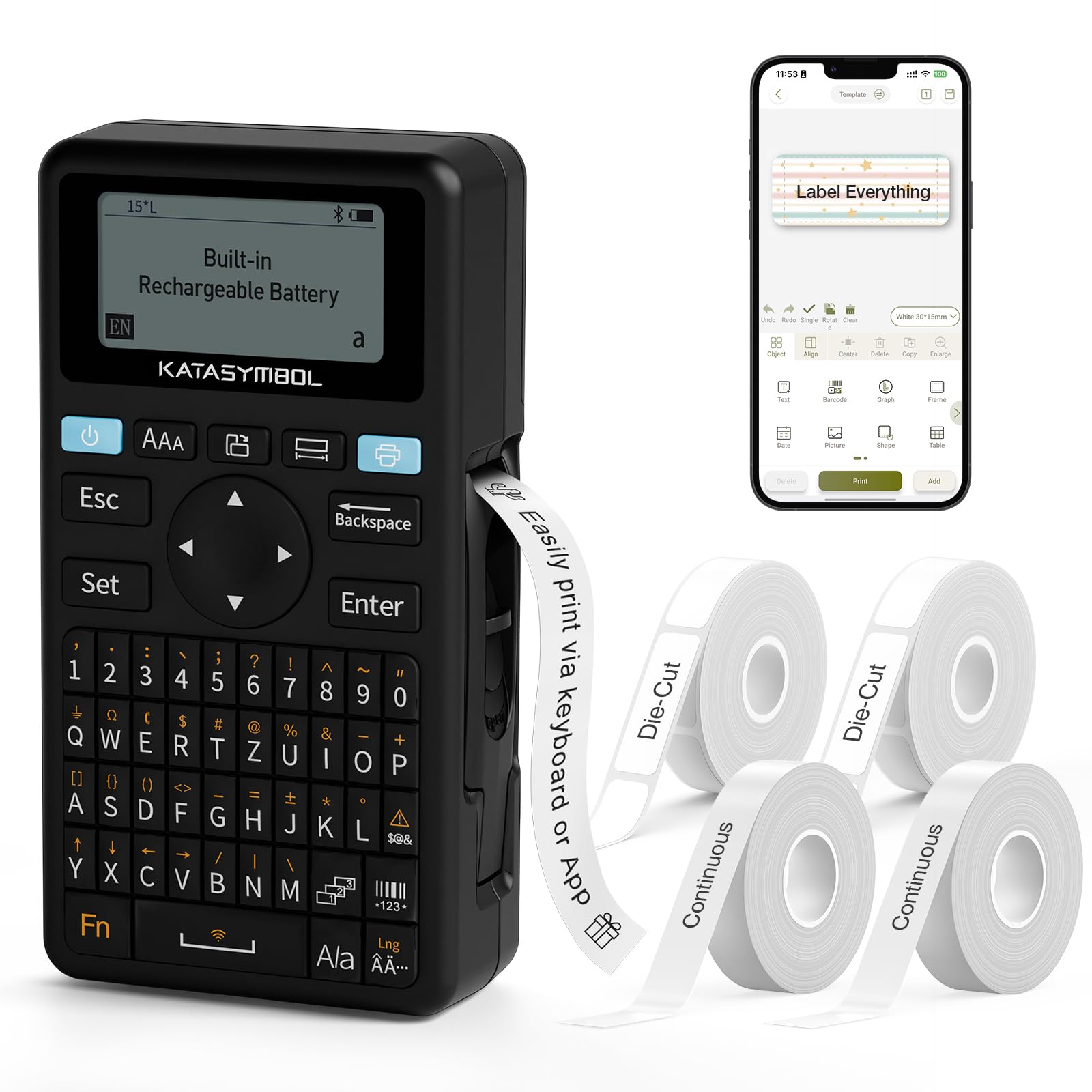
SUPVAN E11

SUPVAN E11

4.6
  • Connectivity: Bluetooth + keyboard, app
  • Power Source: Rechargeable battery
  • Print Method: Direct thermal
  • Label Width Range: 15mm (0.59") max
Check Price

Pros

  • Dual input (keyboard + app) means you can label quickly without your phone — or open the app for advanced formatting. — 173 mentions, 91% positive
  • Construction feels solid for such a lightweight device; handles daily use without creaking. — 170 mentions, 92% positive
  • Comes with four tapes and a rechargeable battery, delivering immediate value out of the box. — 74 mentions, 91% positive
  • Minimal label margins (0.2 inches) reduce tape waste and let you print more labels per roll. — Multiple positive snippets praising tape efficiency

Cons

  • During very long print jobs, the unit can unexpectedly power off, interrupting the process. — Snippet: 'sometimes it will turn off if you try to print if it's to long' – isolated report
  • Battery capacity may decrease after months of heavy use, leading to more frequent recharging. — 41 mentions battery life, 27% negative – a small subset report charging failure after prolonged light use

The SUPVAN E11 bridges the gap between keyboard and app label makers with a dual-input approach that feels practical rather than gimmicky. The built-in keyboard sits right on the device, letting you type and print short labels without unlocking a phone, while the Bluetooth app opens up more fonts and symbols when you want them. Setup takes minutes — charge the internal 1200 mAh battery, slide in one of the four included tapes, and you're ready to label.

Labels come out crisp at 203 dpi with impressively small margins (around 0.2 inches), so you waste less tape per label. The device handles continuous and die-cut 15 mm tape without fuss, and handling feels solid in a 0.5-pound body that does not flex under pressure. The rechargeable battery easily lasts weeks of moderate use — tossing it on a charger once a month.

Coming with four tapes pre-packaged removes the nickel-and-dime feeling of some competitors that ship with a single starter cartridge. The price sits in budget territory, yet the feature set — keyboard, app, rechargeability — outpaces standalone app-only labelers that cost similarly. It is a complete kit for anyone organizing a home, pantry, or small office.

This machine is designed for people labeling spice jars, file folders, cable tags, and other short-run tasks. If your projects demand labels wider than 0.59 inches, move to a wide-format printer like the T50M Pro. The E11's thermal labels will fade under direct sun or moisture, so outdoor use is out. Occasionally, the unit may power off during an unusually long label print, and battery stamina can slip after many months of daily heavy use. These are edge cases for a home organizer who prints dozens of narrow labels a week — not deal-breakers.

💡 💡 Tip: For marathon labeling sessions, break work into smaller batches to avoid the rare power-off glitch.

Bottom Line: For the home organizer who wants to grab a label maker, punch in 'Flour,' and print — all without fishing out a phone — the E11 delivers a practical, budget-friendly tool that earns its spot on the shelf.
#2

Best Budget Pocket Label Maker

Nelko P21

Nelko P21

4.5
  • Connectivity: Bluetooth, app-only
  • Power Source: Rechargeable battery
  • Print Method: Direct thermal
  • Label Width Range: Pre-cut 12-14mm
Check Price

Pros

  • Exceptionally easy to set up and start labeling, with a guided app that newcomers will appreciate — 1688 mentions, 94% positive
  • Pocket-friendly size and USB-C rechargeable battery make it truly portable — 574 mentions, 85% positive
  • Generous free template library with 3,600+ icons, 750+ templates, and no subscription fees — 3600+ icons, 750+ templates included
  • Low running costs thanks to thermal printing and budget-friendly pre-cut label rolls — 545 mentions, 88% positive

Cons

  • Bluetooth can occasionally disconnect or refuse to reconnect, forcing a manual re-pair — 566 mentions connectivity, 81% positive
  • No built-in keyboard or PC option; you must have a smartphone to design and print any label

With over 3,600 icons, 700 borders, and 750 templates all included at no extra cost, the Nelko P21 gives you more creative options out of the box than several pricier Bluetooth labelers that hide design assets behind a subscription. The printer itself is compact enough to slip into a bag or even a jacket pocket, and the USB-C rechargeable battery means you skip both disposable cells and wall adapters.

Getting the P21 running takes only a few minutes: install the app, pair via Bluetooth, drop in a label roll, and print. Thermal printing at 203 DPI produces crisp, smudge-free text and icons on BPA-free sticker paper. The battery holds up through dozens of small labeling sessions, and pre-cut Nelko labels peel and stick cleanly to glass jars, plastic folders, and storage bins.

The P21 is built for occasional, grab-and-go labeling jobs — files, spice jars, school supplies, and small bins. It accepts only Nelko’s proprietary fixed-length rolls (12x40mm, 14x50mm, 14x75mm, and similar sizes), so you cannot print a continuous length to cut yourself or adjust to an odd-size container. If your projects stay inside those pre-cut dimensions, the value is striking; if you need custom-length labels, this model will frustrate you.

Bottom Line: For budget-conscious home organizers who only need simple, pre-cut sticker labels, the P21 offers the lowest entry price and a generous free app — no subscriptions, no ink cartridges.
#3

Best for Long-Lasting Laminated Labels

Brother PTH110BP

Brother PTH110BP

4.7
  • Connectivity: Keyboard only
  • Power Source: 6 AAA batteries
  • Print Method: Thermal, TZe laminated
  • Label Width Range: 12mm (0.47") max
Check Price

Pros

  • Durable TZe laminated labels that resist water, smears, and weather for long-term outdoor use — 66 mentions quality, 95% positive
  • Tool-free cartridge loading and intuitive setup right out of the box — 73 mentions ease of use, 86% positive
  • Smooth tape feeding free of jamming problems across heavy and light use — 71 mentions functionality, 80% positive

Cons

  • Operates on six AAA batteries with no included adapter; battery life can be short under frequent printing — 33 mentions battery, 55% negative; some find it power-thirsty

Where the top pick leans on a smartphone app for design, the Brother PTH110BP is a pure keyboard labeler that prints the moment you type. Built around Brother's TZe laminated tape system, it produces labels that resist water, smears, and outdoor weather — the kind of durability that app-based printers often can't match.

This is a labeling workhorse for anyone organizing a pantry, tool shed, or kids' school supplies without wanting to pull out a phone. It's not for buyers who expect rechargeable convenience or Bluetooth connectivity; the unit runs on six AAA batteries with no AC adapter in the box, and heavy use can drain them faster than some might expect. But if your priority is a label that'll stay legible on a freezer bin or a plant pot through rain and sun, that battery trade-off is easy to accept.

Cartridge changes are tool-free and intuitive — slide out the old, click in the new. The keyboard has a straightforward layout, and the preview LCD lets you confirm formatting before printing. Tape feeding is smooth and free of the jamming troubles that plague some competing keyboard models. The bundle includes four starter tapes, so you can tackle multiple rooms right away.

💡 💡 Tip: Keep a set of rechargeable AAAs on hand; an optional AC adapter (sold separately) turns it into a stationary workstation for long printing sessions.

Bottom Line: For labels that must survive the dishwasher, freezer door, or garden shed, the PTH110BP's tape quality justifies stocking up on AAAs — it simply outlasts app-based alternatives under real conditions.
#4

Best Wide-Format Label Printer

SUPVAN T50M Pro

SUPVAN T50M Pro

4.5
  • Connectivity: Bluetooth, app-only
  • Power Source: Rechargeable battery
  • Print Method: Direct thermal
  • Label Width Range: 15-50mm (0.6-2")
Check Price

Pros

  • Handles labels up to 2 inches wide, perfect for canning jars, shipping labels, and product branding. — 234 mentions, 85% positive
  • Template-rich app includes 660+ icons and 30+ fonts for creative designs. — 529 mentions, 88% positive
  • Compact, lightweight, and rechargeable via USB-C for portability. — 127 mentions, 70% positive

Cons

  • Bluetooth connection can be unstable, particularly with iPhones, causing pairing drops. — 157 mentions, 31% negative – 'Bluetooth keeps disconnecting', 'took a long time to set up'
  • Print consistency varies between units; some labels may appear blurry or faded. — 199 mentions, 36% negative – 'poor print quality', 'blurry labels'

Unlike the top pick's keyboard-and-app hybrid for quick small labels, the SUPVAN T50M Pro is built for width. It prints labels from 0.6 to 2 inches, the only device in this price bracket capable of handling shipping labels, large canning jar tags, and branded product stickers. The app auto-detects the inserted label roll, and the rechargeable battery charges over USB-C.

The free app provides 660+ icons, 30+ fonts, and ready-made templates for price tags with QR codes or decorative labels. You can import logos and graphics to create branded designs directly from your phone, with the layout adjusting to the detected label size. This turns the printer into a compact creative tool for small business branding and detailed home organization.

This printer fits small business owners who need QR-coded price tags, home canners labeling wide-mouth jars, or crafters seeking larger stickers. App-only operation means no built-in keyboard, and Bluetooth pairing can be finicky with iPhones — occasionally requiring a restart. Print consistency varies between units; some labels may look blurry or softer than expected, so buyers who demand razor-sharp output every time may want a higher-tier model. For everyone else willing to accept an occasional connection reset, the wide-format ability at this price is unmatched.

💡 💡 Tip: Keep your phone within a few feet and restart the app if the connection drops — pairing often stabilizes after the first successful print.

Bottom Line: If your labeling tasks demand labels larger than a standard handheld can produce — think shipping labels, QR-coded price tags, or oversized pantry jars — this wide-format printer is a budget-conscious solution, provided you can tolerate occasional Bluetooth hiccups and the possibility of a unit with slightly softer print quality.
#5

Best for Business & Heavy-Duty Labeling

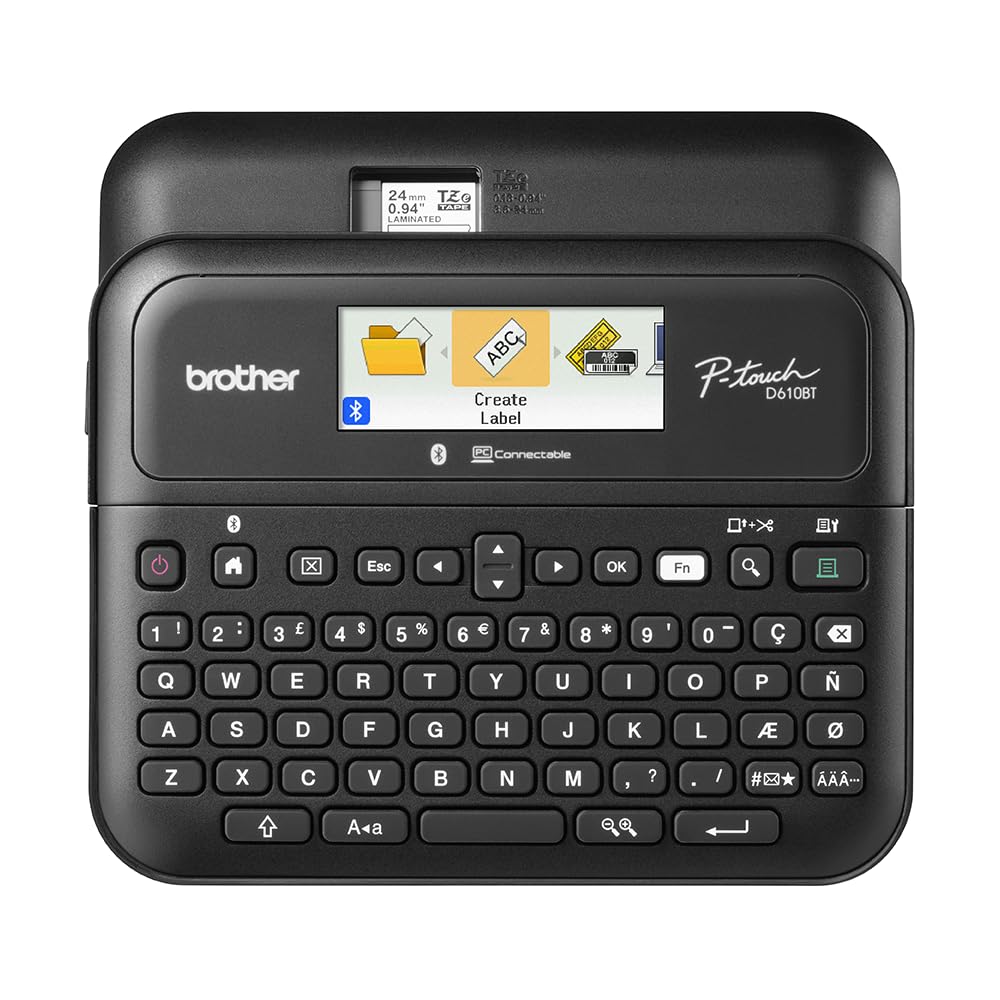
Brother PT-D610BT

Brother PT-D610BT

4.6
  • Connectivity: Bluetooth + USB, keyboard
  • Power Source: AC adapter & 6 AA
  • Print Method: Thermal, TZe laminated
  • Label Width Range: 25mm (1") max
Check Price

Pros

  • Functions as a standalone keyboard labeler and connects to PC/Mac or phone for design flexibility — 64 mentions labeling, 84% positive; 'versatile' and 'many options' praised
  • Durable laminated TZe labels produce high-resolution barcodes, logos, and text that resist smearing and water — 66 mentions quality, 91% positive
  • Full-color LCD with label preview prevents misprints and simplifies complex label layouts — 73 mentions ease of use, 79% positive; display eliminates waste from misprints
  • Automatic cutter trims each label to exact length with no manual tearing

Cons

  • At 2.13 lbs and 12.6 inches wide, it occupies substantial desk space and isn't portable — Weighs 2.13 lbs, dimensions 12.6" x 8" x 10.2" – some buyers note it's 'a very big printer' for a desk
  • Bluetooth pairing may be unreliable; some users resort to USB-only operation — 59 mentions, 37% negative; 'would not connect via Bluetooth' reported consistently

The PT-D610BT’s full-color LCD shows every detail of a label before printing—barcodes, fonts, and alignment appear exactly as they’ll output. An automatic cutter delivers clean, precise edges without wrestling with tear strips, setting it apart from earlier Brother labelers that frustrate with jams and difficult tape backing. It functions both as a self-contained keyboard labeler and a connected printer over USB or Bluetooth, so complex layouts can be composed in P-touch Editor software on a computer.

The laminated TZe labels withstand moisture and scuffing, and the printer handles 1-inch-wide tape suitable for asset tags, inventory bins, and shipping labels. The unit weighs over 2 pounds and spans more than a foot wide—it lives on a desk, not a pocket. The built-in memory stores 90 frequently used labels, which speeds up repetitive tasks in a busy office or warehouse.

This machine makes sense for a shipping department managing hundreds of packages, a business tracking IT assets, or a home office where detailed inventory labeling is a weekly requirement. Casual home organizers labeling a few pantry bins will find it oversized and expensive. Bluetooth pairing can be temperamental; some users ultimately default to a USB connection, which still provides full design capabilities but sacrifices the convenience of wireless operation.

💡 💡 Tip: If Bluetooth pairing proves stubborn, a wired USB connection still gives you full access to PC/Mac design software for complex barcodes and logos.

Bottom Line: The PT-D610BT is built for business inventory and heavy home-office labeling where its preview screen and auto-cutter prevent waste. Those who prioritize portability or purely need Bluetooth should look at the top-pick hybrid labeler that pairs a keyboard with app flexibility.
#6

Best Grab-and-Go Keyboard Labeler

DYMO LetraTag 100H

DYMO LetraTag 100H

4.7
  • Connectivity: Keyboard only
  • Power Source: 4 AA batteries
  • Print Method: Thermal, LT tapes
  • Label Width Range: 12mm (0.5") max
Check Price

Pros

  • Near-instant labeling with an intuitive keyboard and clear graphical preview — no learning curve. — 688 mentions ease of use, 96% positive
  • Crisp thermal print and solid adhesion on smooth indoor surfaces like bins and spice jars. — 696 mentions quality, 85% positive
  • Magnetic back sticks to the fridge, turning an appliance into an always-ready labeling station. — Multiple snippets praise magnetic mount and portability

Cons

  • Adhesive may weaken on curved or textured surfaces, causing labels to lift. — Snippets: 'tape is not the most sticky and sometimes falls off', common in feedback
  • Some units can cease functioning after minimal use, failing to power on with fresh batteries. — 616 mentions functionality, 69% positive – about 31% report issues like 'worked great until it didn't'

Where app-connected labelers ask for pairing and charging, the DYMO LetraTag 100H keeps things dead simple. Four AA batteries drop in, and you're ready to print — no Bluetooth, no subscriptions, no phone. The magnetic back mounts it securely to the fridge, making it a grab-and-go tool that's always in reach, unlike models that need retrieval from a drawer. It's strictly keyboard-only, trading app extras for zero-dependency speed.

Typing is intuitive thanks to a graphical display that previews fonts and boxes before printing. Thermal print quality is crisp, and standard LT tape holds well on smooth indoor surfaces like spice jars and file folders. The light, handheld body and auto-off feature keep battery life reasonable. Adhesive performance dips on curved or textured items, so stick to flat labeling jobs for best results.

The LetraTag 100H suits anyone who wants a fridge-mountable, battery-powered labeler for light housekeeping — kitchen, kids' gear, storage bins — without wrestling with an app. Skip it if you need waterproof or smear-proof labels for outdoor use; the LT tape isn't built for that. And while most units run without issue, some can stop powering on early, so this isn't the pick for mission-critical labeling where downtime matters.

💡 💡 Tip: For the strongest hold, apply labels to clean, smooth, flat surfaces and avoid damp or heavily curved areas — the adhesive works best on dry, indoor materials.

Bottom Line: If you want a labeler that lives on your fridge and requires zero app fuss, the LetraTag 100H delivers dependable labels for everyday indoor use — just understand that the tape isn't weatherproof and a rare unit may need early replacement.
#7

Creative crafting

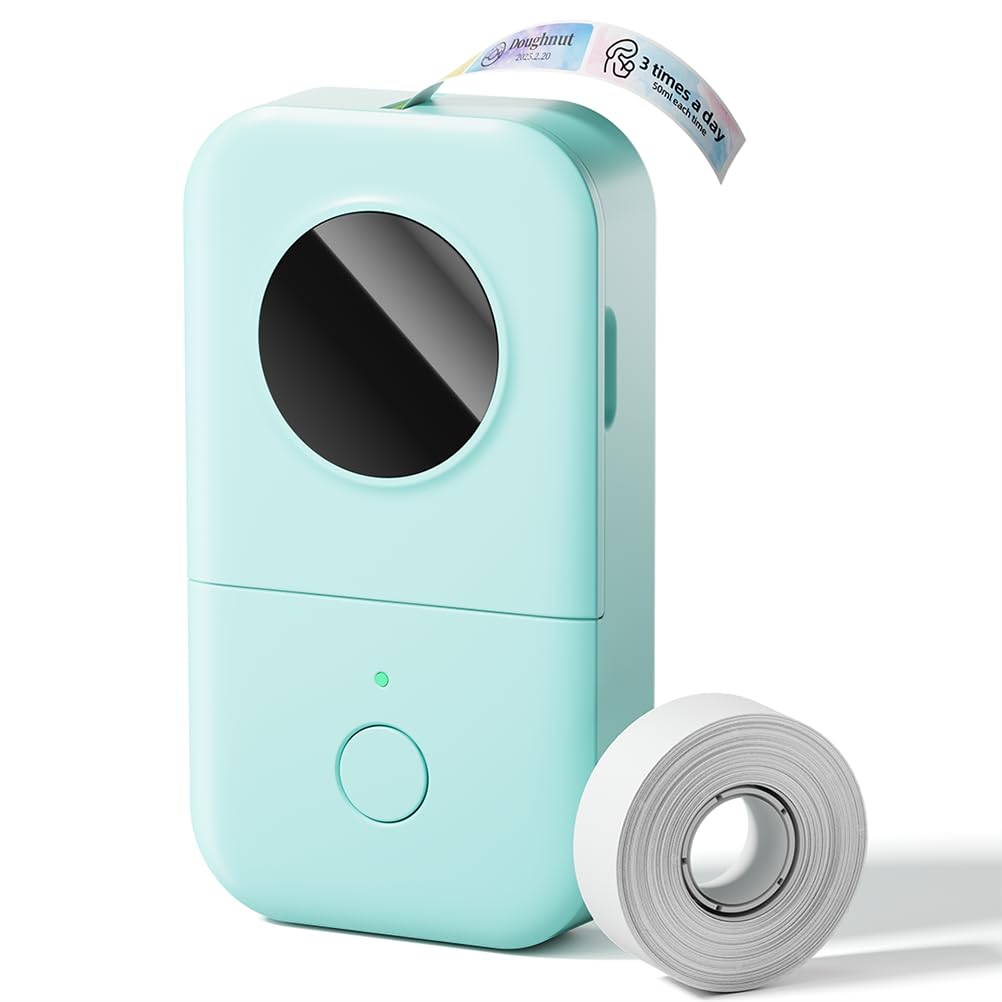
Phomemo D30

Phomemo D30

4.3
  • Connectivity: Bluetooth, app-only
  • Power Source: Rechargeable battery
  • Print Method: Direct thermal
  • Label Width Range: 14mm (0.55") max
Check Price

Pros

  • The companion app is intuitive and packed with creative options, making label design quick even for beginners. — 1785 mentions, 89% positive
  • Weighing just 0.35 lbs and rechargeable via USB-C, it's easy to toss in a bag for on-the-spot labeling at craft meetups. — 683 mentions, 73% positive
  • An extensive selection of free icons, borders, and fonts turns labels into personalized mini artworks. — 411 mentions appearance, 95% positive

Cons

  • Users planning decorative projects may find many desired templates locked behind a recurring subscription, adding ongoing cost to a budget-priced device. — Numerous reviews: 'you have to pay for most things', 'subscription is a ripoff'
  • On some tapes, printed text can appear faint or incomplete, which makes it less suitable for labels that need to be read at a glance. — 834 mentions labeling, 21% negative – 'doesn't print all words', 'faded after few hours'

The Phomemo D30 pairs an impressively small body with an app filled with over 4000 icons and 800 borders, making it a delight for customizing journals, gift tags, and scrapbook pages. That creative freedom comes with a catch: a significant portion of the best fonts, templates, and design assets sit behind a recurring subscription. Print quality can also vary — some labels emerge with faded text or missing characters, which is more noticeable on small 14mm tape. For labeling pantry jars or file folders where clean, consistent text is the goal, the D30's decorative strengths come with too many friction points.

Bottom Line: If you're a journaler or DIY crafter who wants a pocketable tool to add cute decorative stickers to projects and doesn't mind paying for a subscription to unlock the best art assets, the D30 delivers a fun creative experience. For clean, durable home office labels, a keyboard label maker in this set will cause fewer headaches.
#8

Wide budget labels

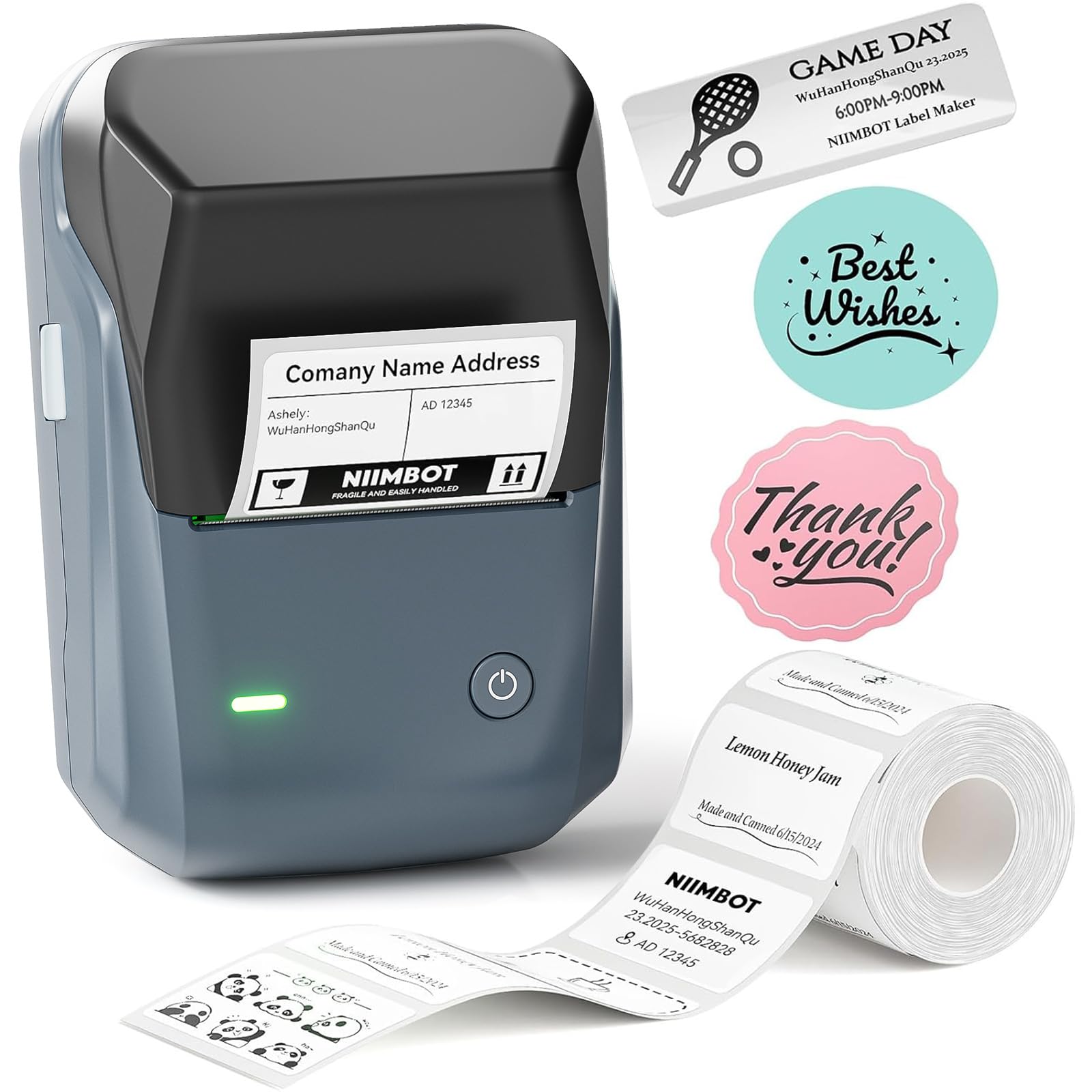
NIIMBOT B1

NIIMBOT B1

4.4
  • Connectivity: Bluetooth, app-only
  • Power Source: Rechargeable battery
  • Print Method: Direct thermal
  • Label Width Range: 50mm (2") max
Check Price

Pros

  • Clean app interface makes label design straightforward, with a solid free tier. — 468 mentions, 92% positive
  • Print quality is sharp and clear for price tags, product labels, and bulk organization. — 157 mentions, 78% positive
  • Compact body and USB-C rechargeable battery handle portable labeling without cord clutter. — 136 mentions size, 82% positive

Cons

  • Bluetooth pairing can be inconsistent, and a small number of units may stop working early. — 159 mentions connectivity, 67% positive; reliability negative rate ~28%
  • Many design templates and some features require an ongoing subscription, adding cost over time. — Multiple reviews mention 'you have to pay for most templates', 'subscription is predatory'

The NIIMBOT B1 prints labels up to 2 inches wide with auto size detection, a clean app, and a rechargeable battery, targeting small business tasks like price tags and large container labels. However, the app locks many design templates and some features behind a recurring subscription, and Bluetooth connectivity can be spotty on certain phones. A USB connection to a PC offers a more stable fallback. For those who can accept ongoing app costs and occasional wireless hiccups, the B1 provides crisp output and wide-format capability in a compact package.

💡 💡 Tip: Use the USB connection to a PC if Bluetooth drops, and stick to the free app templates unless premium designs are essential for your labeling.

Bottom Line: A sensible pick for small businesses needing wide price tags and large container labels, as long as the subscription fees and occasional Bluetooth glitches are acceptable trade-offs for the budget-friendly price.

How to Choose

Print Method

Direct thermal labels require no ink and are cheap, but the chemistry behind them breaks down under UV light and moisture. Expect fading within weeks if you stick them on a sun-facing jar or a damp basement bin. Laminated TZe or similar tape systems encase the print layer in a protective film, making labels waterproof and smear-proof even after dishwasher cycles — but that durability locks you into proprietary, pricier refills.

For purely indoor, dry environments, direct thermal is a solid, low-cost choice. If a single faded spice label would drive you crazy, go laminated.

Connectivity

Bluetooth-only label makers free you from keypads and can pull designs from a phone, but that convenience comes with a hidden dependency: no phone, no label. App glitches and disconnects are common enough that a model with a physical keyboard as a backup — like a hybrid unit — keeps you running even when your phone isn't. Keyboard-only models never drop a connection, but they rarely offer creative fonts or QR code printing.

Label Tape Compatibility

Most budget label makers use proprietary tape cassettes; the printer detects the chip inside and will reject third-party rolls. This lock-in inflates lifetime cost. A few models accept standard continuous rolls that you cut to length, but those can jam more easily if the alignment isn't precise. Before buying, check whether the consumer-favorite tape size is still widely stocked — some niche widths get discontinued.

If you label constantly, calculate the annual tape spend. A slightly more expensive printer that accepts cheaper universal tapes can save money within a year.

Label Width Range

The label width you need dictates the printer's size and shape. Handheld models top out at around 12–15mm — perfect for file folders, spice jars, and cable tags. Moving to 2-inch labels for shipping, canning, or signage requires a wide-format printer, which is usually larger and relies on app-only controls. The trade-off: wide prints let you add barcodes and logos, but the bulk means you won't keep it on the kitchen counter.

Power Source

Rechargeable batteries eliminate the recurring cost and waste of alkalines, but lithium cells degrade over time — after a year of heavy use, a once-month-long charge might dwindle to a week. Alkaline-powered labelers keep a consistent runtime per set of batteries, yet many models omit an included AC adapter, so you're buying batteries on day one. For a stationary labeling station, a model that comes with a wall adapter means one less thing to remember.

Frequently Asked Questions